Hear it
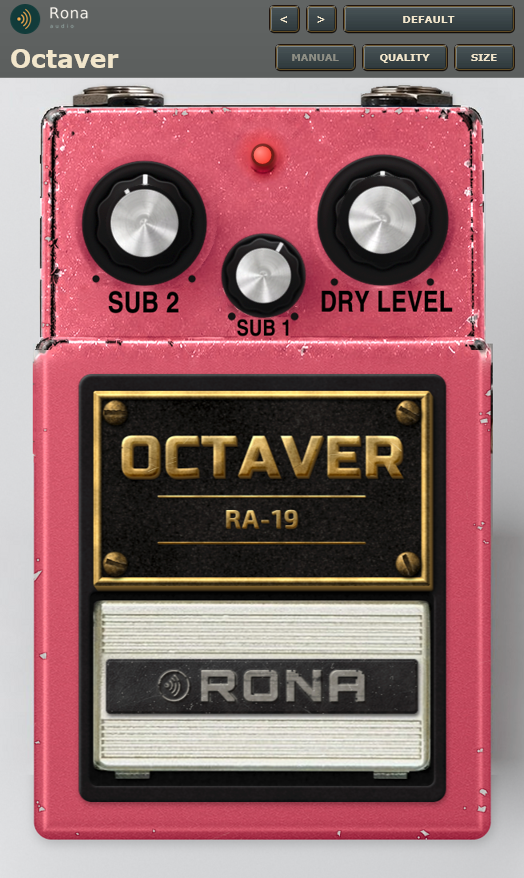
Rona Audio RA-19 – Octaver is a pitch pedal in the Vintage Effects collection from Rona Audio: a plug-in recreation of a classic RA-19 octaver, with the pedal itself as the interface. Every knob, switch and footswitch you see works; the circuit behind them is modelled stage by stage so the controls interact the way the hardware’s do.
- DRY LEVEL — Level of the dry (direct) signal in the output mixer; about unity at 7
- SUB 1 — Level of the one-octave-down voice: the low-passed input polarity-switched by the first flip-flop (f/2)
- SUB 2 — Level of the two-octaves-down voice: the low-passed input polarity-switched by the second flip-flop (f/4)
- Footswitch — Switches the effect on and off (the LED lights while on).
13 factory presets in 5 categories. Formats: VST3 and AAX (Windows 10/11 64-bit); VST3, AU and AAX (macOS). Mono circuit; in a stereo track both channels are processed identically. Installed, activated and updated with RONA License Manager.
System requirements
What’s included
Windows: VST3 / AAX · macOS: VST3 / AAX / AU · PDF manual · one license, 3 computers · installed and activated with RONA License Manager · free updates within the major version
Version
Version 1.0.0 29 September 2026
First release of RA-19 Octave in the Rona Vintage guitar pedal collection. Windows VST3, AAX and Standalone. Installed, activated and updated with RONA License Manager.
Questions
How do I install and activate Rona Audio RA-19 – Octaver?
Download RONA License Manager from rona.com.au/license-manager, log in with your rona.com.au account and click Install next to the product. It activates this computer, downloads the right installer for your system and installs every format. There is no serial number to enter and no activation button inside the plug-in.
How many computers can I use it on?
Each serial number can be active on up to 3 computers at the same time. On a Mac the VST3, AU and AAX formats share one activation. You can see your computers and free a slot at any time in RONA License Manager (Activations) or on rona.com.au under My Account → My Products.
Which formats are included?
Windows: VST3 and AAX. macOS: VST3, AU (Audio Unit) and AAX, Universal 2 for Intel and Apple Silicon. RONA License Manager installs all formats of a product together and they share one activation.
Do I need an internet connection?
An internet connection is needed for RONA License Manager to log in, activate, download and update your products. You do not need to be online while you work in your DAW.
Where are the controls that are not on the front panel?
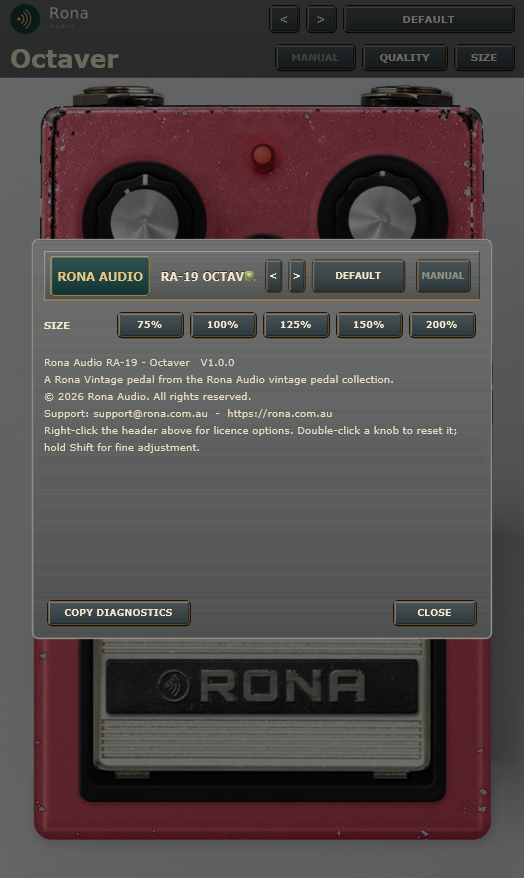
Right-click the pedal (anywhere away from a control) and choose Settings, licence and about… to open the settings panel. It repeats the preset and MANUAL buttons and holds: SIZE: window size, 75 % to 200 %. About: product, version and support details; COPY DIAGNOSTICS copies a diagnostic report for support. Right-click the panel’s header strip for the licence options: licence status, check now, deactivate this computer, show the machine id, load an offline licence, open RONA License Manager.