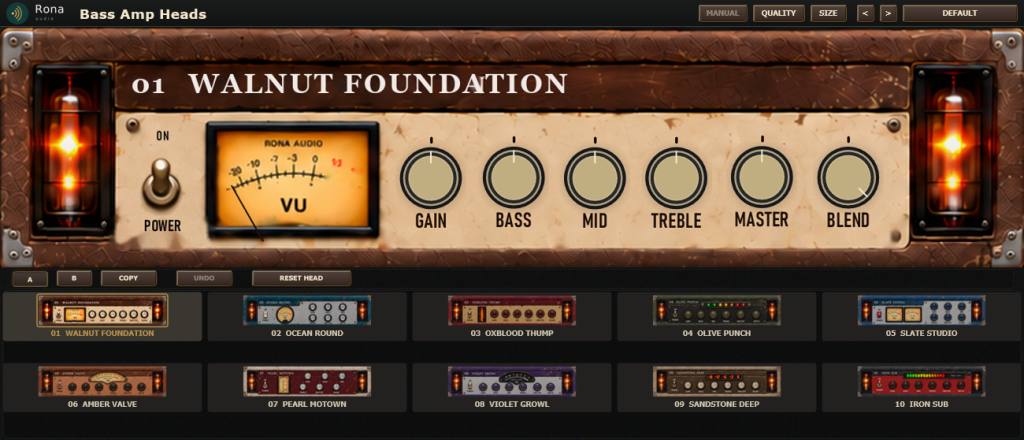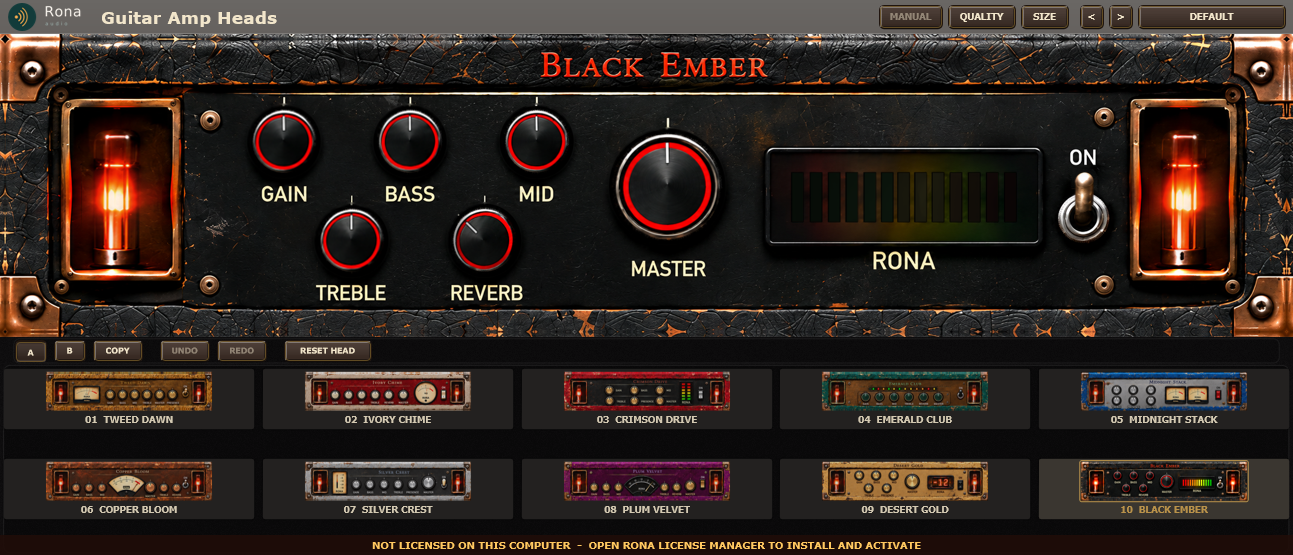
Rona Vintage Guitar Amp Heads is a collection of ten original guitar amplifier heads in one unit in the Rona Vintage line from Rona Audio, with the unit’s own front panel as the interface. Every knob and switch you see works; the circuit behind them is modelled stage by stage so the controls interact the way the hardware’s do.
- HEAD — the active amplifier model: only the selected head processes audio; a change crossfades the two models over 40 ms; each head keeps its own GAIN / BASS / MID / TREBLE / PRESENCE / REVERB / MASTER (recalled when it is sele …
- GAIN — preamp drive, 0 to 10 in 0.1 steps: the first stage’s gain and how hard the model’s saturation is pushed (each head has its own gain range and asymmetry)
- BASS — tone stack low shelf, 0 to 10 in 0.1 steps; 5 = flat; the shelf frequency and reach depend on the head
- MID — tone stack mid band, 0 to 10 in 0.1 steps; 5 = flat; the centre frequency and width depend on the head (a scooped head dips below 5, a focused head peaks)
- TREBLE — tone stack high shelf, 0 to 10 in 0.1 steps; 5 = flat
- PRESENCE — power stage presence, 0 to 10 in 0.1 steps: the negative feedback’s high-frequency share – more presence = less feedback above 2 kHz.
- REVERB — spring-inspired reverb mix, 0 to 30 % in 0.5 % steps (after the power stage, before the cabinet); on the panel of heads 02, 04, 06, 08 and 10; the other heads keep it in the settings panel
- MASTER — power stage drive, 0 to 10 in 0.1 steps: how hard the output stage is driven (sag and power-stage compression rise with it); the level is held by OUTPUT TRIM
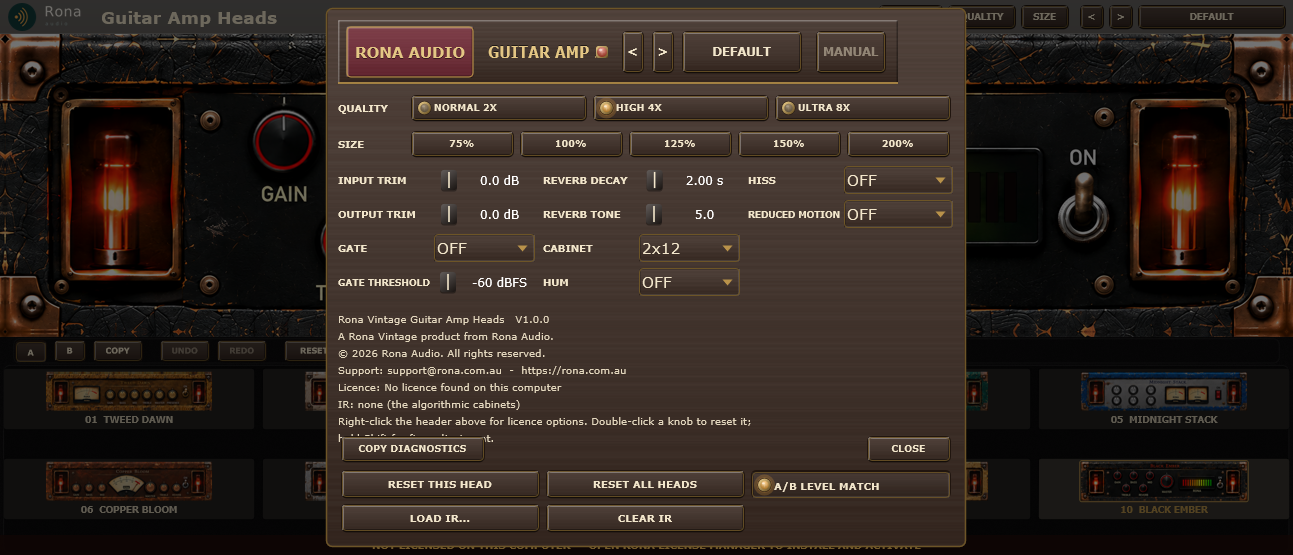
- INPUT TRIM — trim before the gate and the preamp, -24 to +24 dB (settings panel)
- OUTPUT TRIM — trim after the cabinet, -24 to +24 dB (settings panel); independent of MASTER
- GATE — noise gate before the preamp (settings panel): OFF, or ON at GATE THRESHOLD with 6 dB of hysteresis, 0.3 ms attack, 40 ms hold, 80 ms release, closing to -80 dB
- GATE THRESHOLD — the gate opens above this input level (settings panel), -80 to -20 dBFS
- REVERB DECAY — the spring tank’s decay time, 0.5 to 5 s (settings panel, the brief’s expanded page)
- REVERB TONE — the spring tank’s damping, 0 (dark, 1.5 kHz) to 10 (bright, 8 kHz) (settings panel)
- CABINET — the cabinet stage after the power stage (settings panel): OFF = bypass for external cabinet software; three original algorithmic cabinets (a documented alternative to licensed responses: a 2nd-order low cut, a resonant l …
- HUM — simulated mains hum (50 Hz and its 2nd / 3rd harmonics) at -66 dBFS added after the preamp, OFF by default (settings panel); silent when powered off
- HISS — simulated tube hiss (seeded, shaped noise) at -78 dBFS added after the preamp, OFF by default (settings panel); silent when powered off
- REDUCED MOTION — GUI only (settings panel): the power animation uses plain fades, no needle settling bounce or glow modulation. No effect on the audio
15 factory presets in 5 categories. Formats: VST3 and AAX (Windows 10/11 64-bit); VST3, AU and AAX (macOS). Stereo output. Installed, activated and updated with RONA License Manager.