Smart Filters

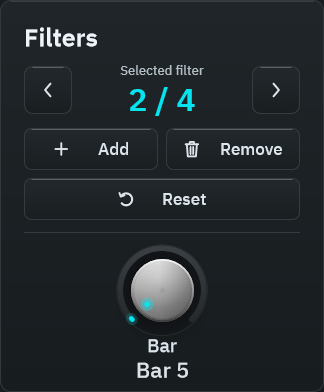
Smart Filters is a Rona Audio bar-synchronised filter automation plugin. Instead of drawing automation lanes you place up to 32 filters on bars of your song. Each filter is a complete snapshot of a five-band equaliser (low shelf, three bells, high shelf), an output level and a pan position.

US$190.00

Price in US dollars, inc. GST for Australian customers.

Hear it

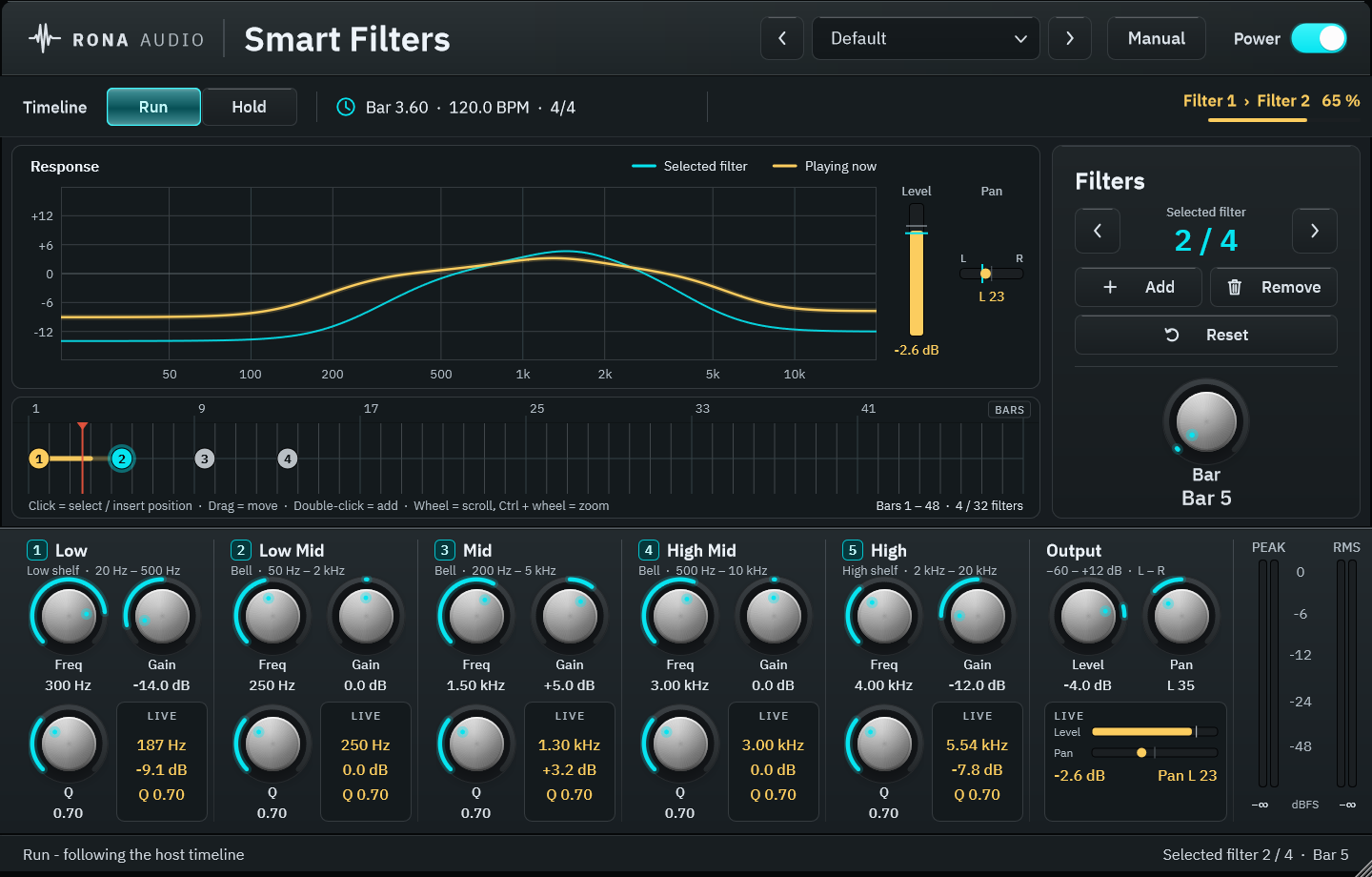
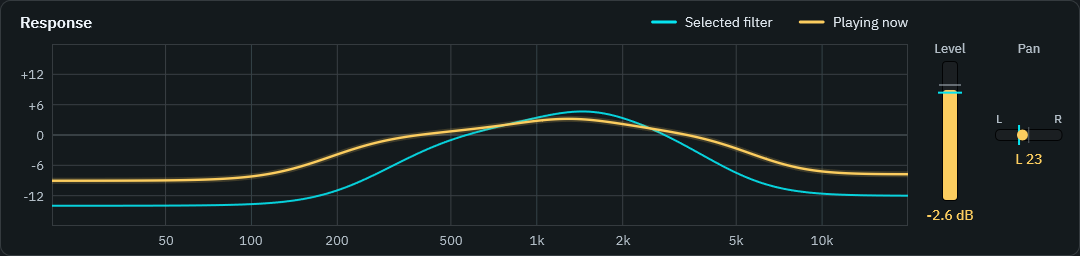
Smart Filters is a Rona Audio bar-synchronised filter automation plugin. Instead of drawing automation lanes you place up to 32 filters on bars of your song. Each filter is a complete snapshot of a five-band equaliser (low shelf, three bells, high shelf), an output level and a pan position. While the host plays, the plugin reads the song position (tempo, time signature and bar) from the DAW, finds the filter you are currently in and the next one coming up, and morphs every setting smoothly from the current filter’s values to the next filter’s values across the bars in between – the sound arrives at the next filter exactly on its bar. After the last filter nothing changes any more: its settings are held to the end of the song. Before the first filter the plugin is flat.

Typical uses: build-ups that open a low-pass style filter over eight bars, telephone or underwater breakdowns that resolve on the drop, slow fades and pans that follow the arrangement, tonal changes between verse and chorus, and any level or EQ move that must land on a bar. The response display and the LIVE readouts in every band column show the EQ, level and pan values that are actually playing at every moment.

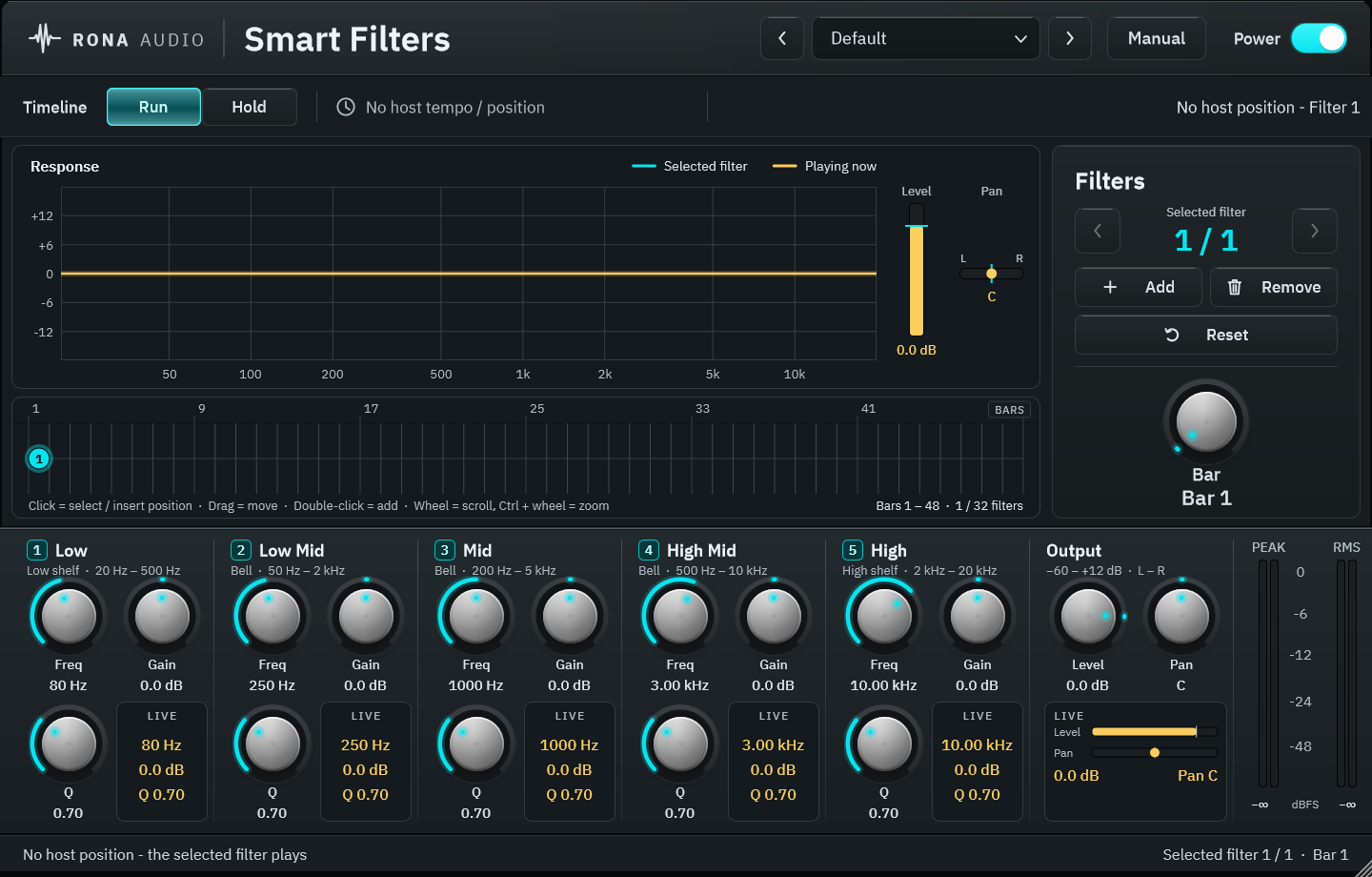
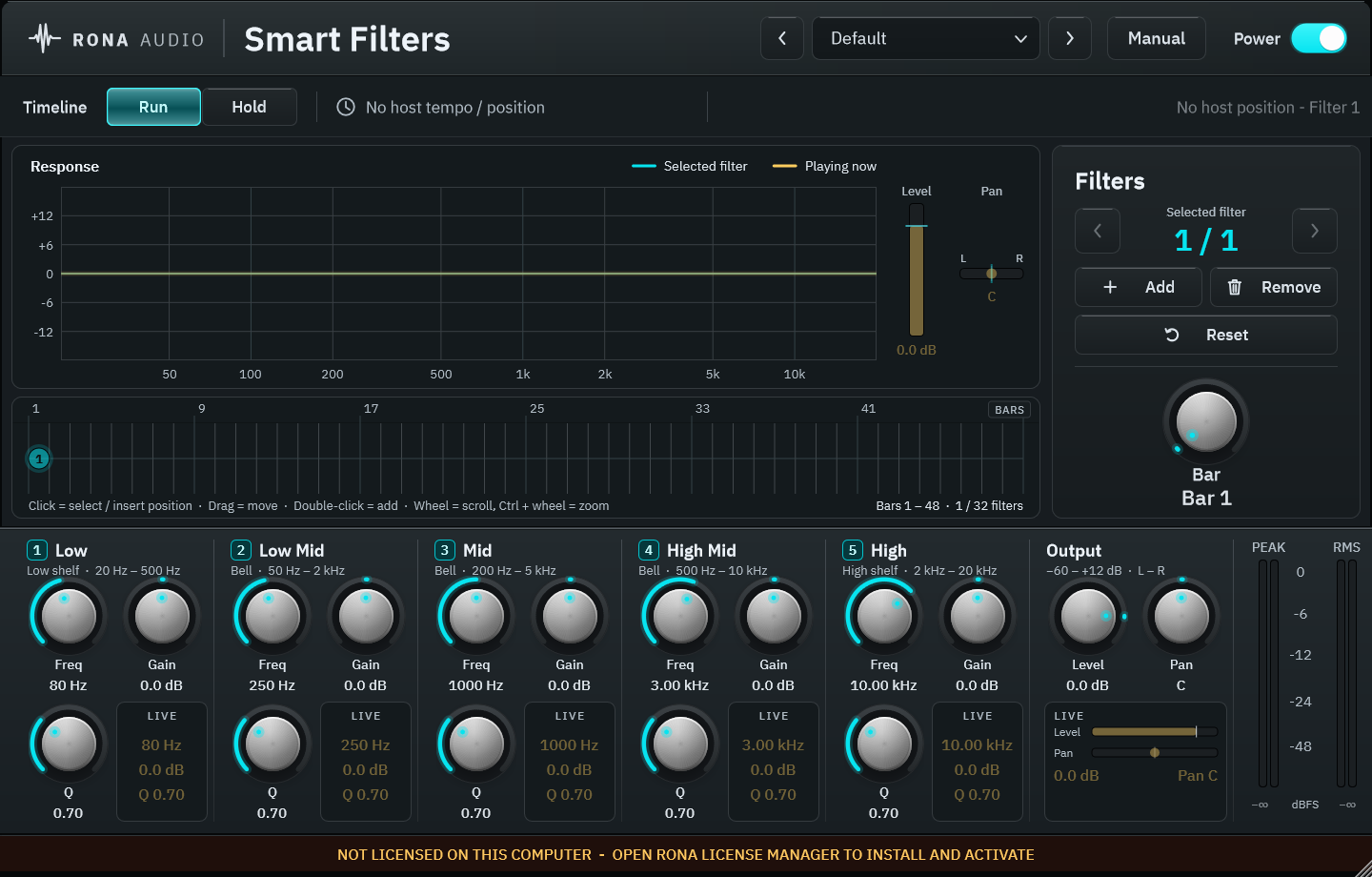
Figure 1 – the complete plugin interface

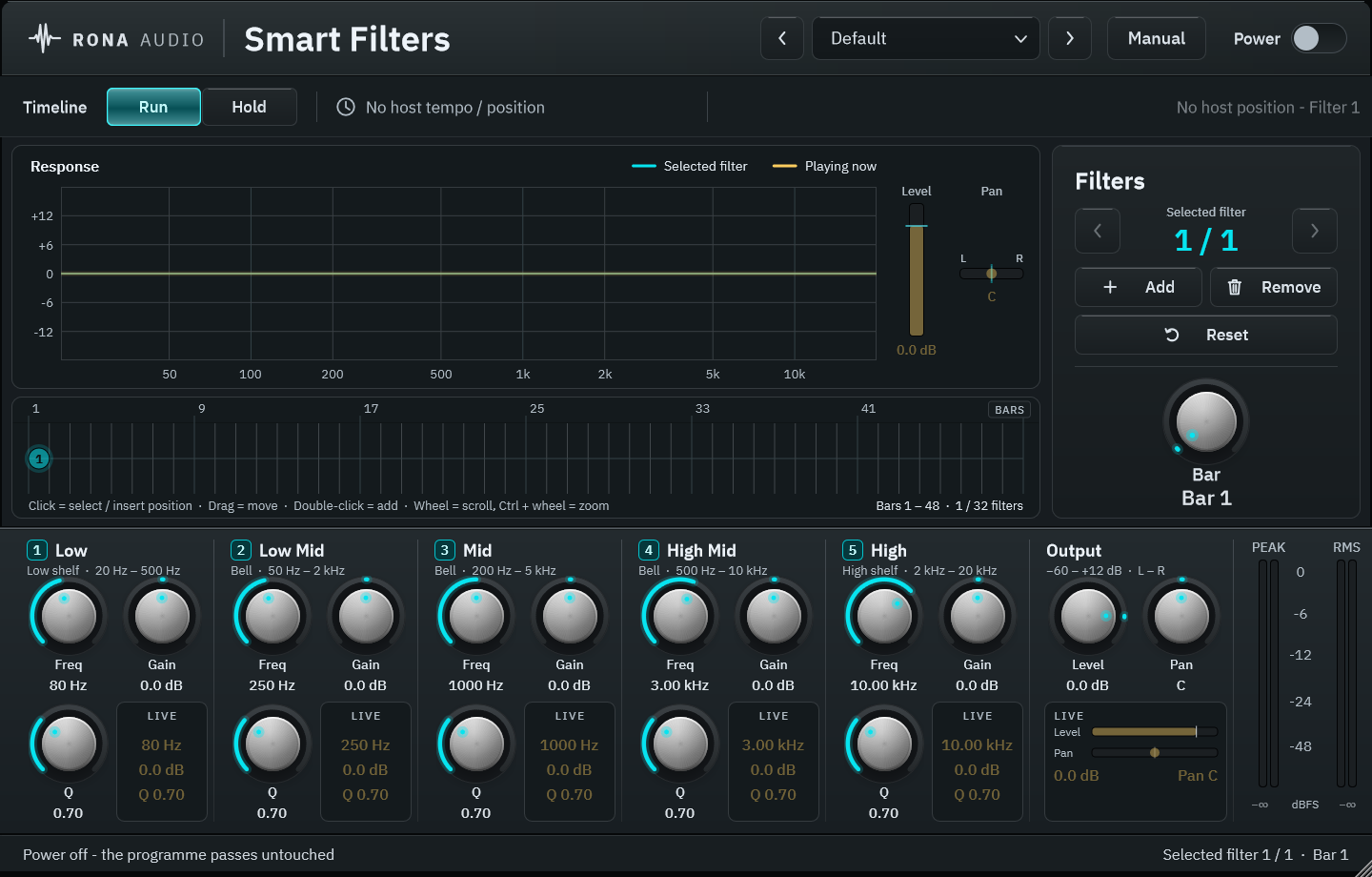
  • POWER — Click-free power; OFF passes the programme untouched (20 ms crossfade)
  • TIMELINE — Run follows the bar timeline while the host plays; Hold keeps the selected filter
  • BAR — Bar of the song at which the selected filter is anchored (bars are unique; an occupied bar moves to the nearest free one)
  • BAND 1 (LOW) FREQ — Low shelf frequency of the selected filter
  • BAND 1 (LOW) GAIN — Low shelf gain of the selected filter
  • BAND 1 (LOW) Q — Bandwidth (bell) or slope (shelf) of the selected filter
  • BAND 2 (LOW MID) FREQ — Bell frequency of the selected filter
  • BAND 2 (LOW MID) GAIN — Bell gain of the selected filter
  • BAND 2 (LOW MID) Q — Bandwidth (bell) or slope (shelf) of the selected filter
  • BAND 3 (MID) FREQ — Bell frequency of the selected filter
  • BAND 3 (MID) GAIN — Bell gain of the selected filter
  • BAND 3 (MID) Q — Bandwidth (bell) or slope (shelf) of the selected filter
  • BAND 4 (HIGH MID) FREQ — Bell frequency of the selected filter
  • BAND 4 (HIGH MID) GAIN — Bell gain of the selected filter
  • BAND 4 (HIGH MID) Q — Bandwidth (bell) or slope (shelf) of the selected filter
  • BAND 5 (HIGH) FREQ — High shelf frequency of the selected filter
  • BAND 5 (HIGH) GAIN — High shelf gain of the selected filter
  • BAND 5 (HIGH) Q — Bandwidth (bell) or slope (shelf) of the selected filter
  • LEVEL — Output level of the selected filter
  • PAN — Stereo position of the selected filter (balance law: centre = unity, hard L / R mutes the other channel)

59 factory presets in 9 categories. Installed, activated and updated with RONA License Manager.
System requirements

Windows Windows 10 or later (64-bit)
macOS macOS 10.13 or later — Intel & Apple Silicon (Universal 2)
CPU Any 64-bit CPU
RAM 4 GB
Disk 50 MB
Formats Windows: VST3 · AAX · macOS: VST3 · AAX · AU
Installation RONA License Manager (install, activate, update)
DAWs verified Any VST3-capable DAW with tempo and song position · Pro Tools 2022+ (AAX) · Logic Pro (AU)

What’s included

Windows: VST3 / AAX · macOS: VST3 / AAX / AU · PDF manual · one license, 3 computers · installed and activated with RONA License Manager · free updates within the major version

Version

Version 1.2.1 10 September 2026

AU (Audio Unit) format added on macOS. Installation, activation and updates now handled by RONA License Manager — no activation button inside the plug-in.

Version history
1.1.0 10 September 2026
First release on rona.com.au. Windows VST3 + AAX, macOS VST3 + AU + AAX. Installed, activated and updated with RONA License Manager.
Questions

How do I install and activate Smart Filters?

Download RONA License Manager from rona.com.au/license-manager, log in with your rona.com.au account and click Install next to the product. It activates this computer, downloads the right installer for your system and installs every format. There is no serial number to enter and no activation button inside the plug-in.

How many computers can I use it on?

Each serial number can be active on up to 3 computers at the same time. On a Mac the VST3, AU and AAX formats share one activation. You can see your computers and free a slot at any time in RONA License Manager (Activations) or on rona.com.au under My Account → My Products.

Which formats are included?

Windows: VST3 and AAX. macOS: VST3, AU (Audio Unit) and AAX, Universal 2 for Intel and Apple Silicon. RONA License Manager installs all formats of a product together and they share one activation.

Do I need an internet connection?

An internet connection is needed for RONA License Manager to log in, activate, download and update your products. You do not need to be online while you work in your DAW.

What happens before the first and after the last filter?

Before the first filter the plug-in is flat; after the last filter its settings are held to the end of the song.

Can I hear a filter without the song moving on?

Yes — set TIMELINE to HOLD (or stop the transport) and the plug-in plays the selected filter so you always hear what you are editing.

Related products