Dynamic Delay is a Rona Audio dynamic delay: a tempo-syncable stereo, ping-pong or mono echo whose repeats listen to your performance. While you sing or play, the echoes step back (DUCK) so the words and notes stay clear; in the gaps they bloom to full level. Turn the law around (SWELL) and the echoes only appear while you play. The reduction can act on the echo level, on the feedback amount (repeats die faster while you play) or on both, driven by the input or by an external sidechain.
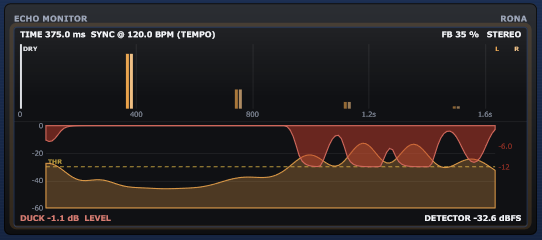
The repeats pass a LOW CUT / HIGH CUT tone section, a tape-style DRIVE stage and an optional delay-time modulation for chorus and wow effects. This product ships WITHOUT VU meters: its illuminated element is the ECHO MONITOR, which shows the echo pattern, the detector level, the threshold and the reduction being applied.
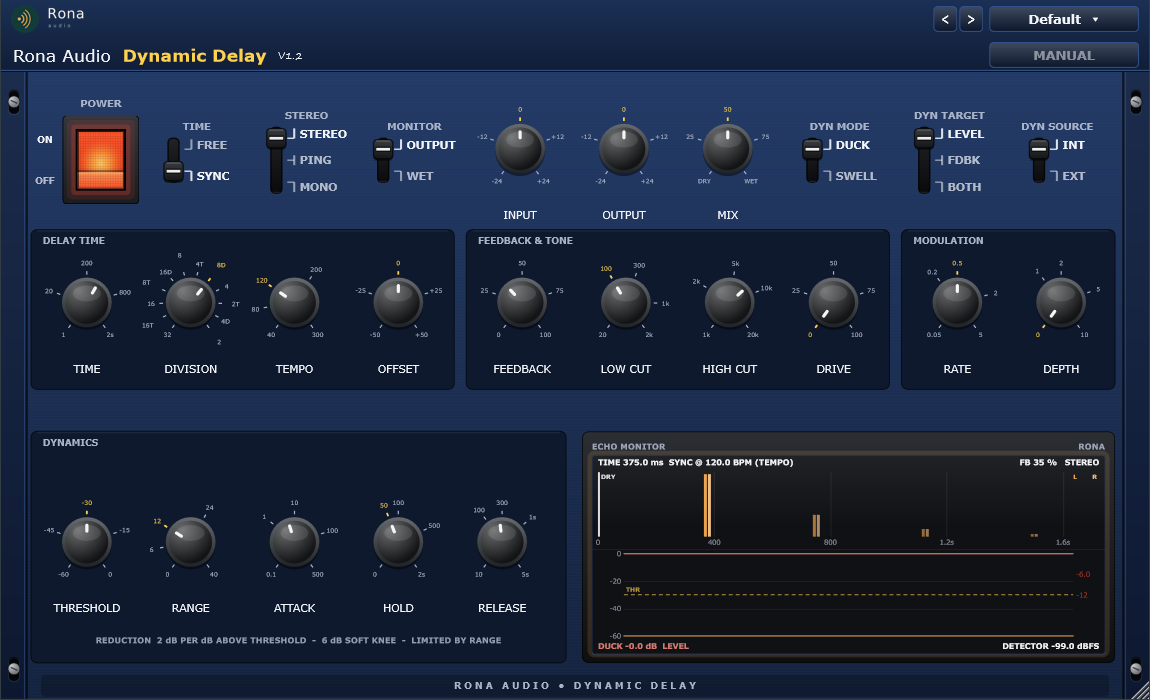
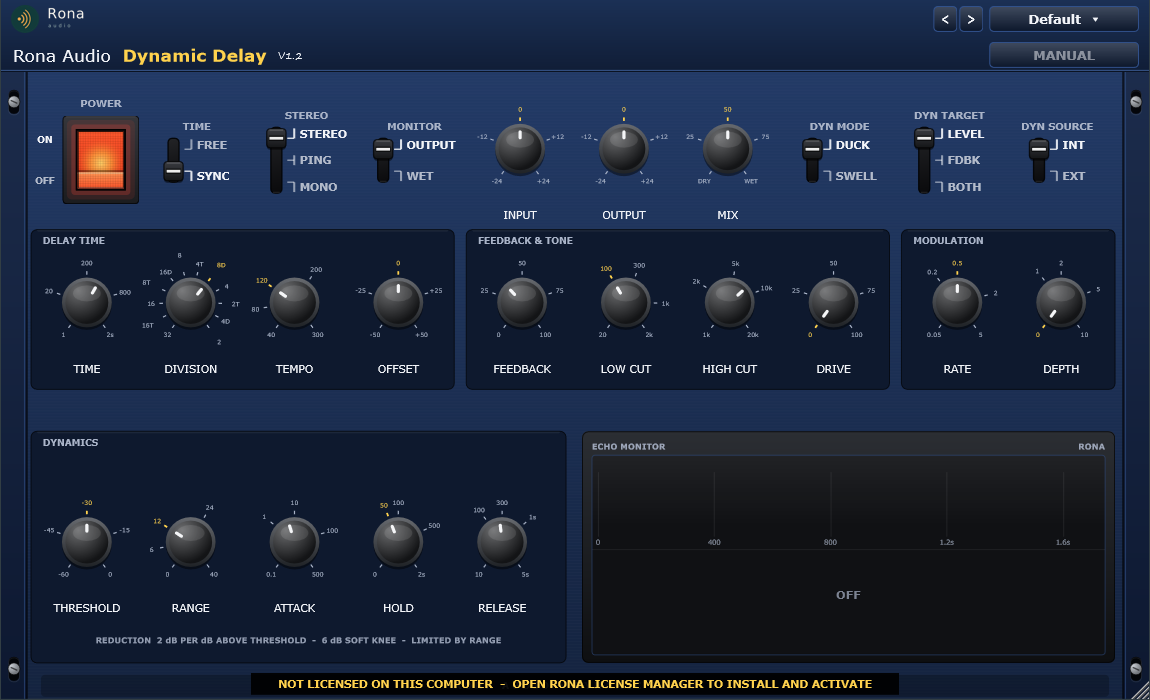
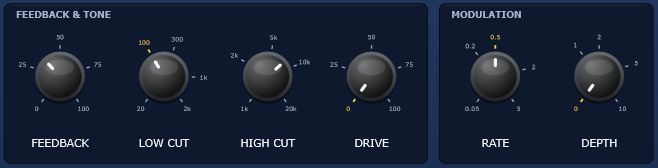
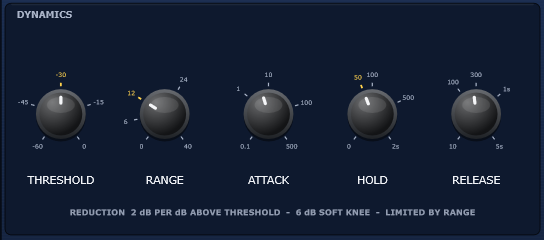
The full plugin. 1: fixed Rona Audio header. 2: POWER rocker. 3: TIME, STEREO and MONITOR levers. 4: INPUT, OUTPUT, MIX knobs. 5: DYN MODE, DYN TARGET and DYN SOURCE levers. 6: DELAY TIME (TIME, DIVISION, TEMPO, OFFSET). 7: FEEDBACK & TONE (FEEDBACK, LOW CUT, HIGH CUT, DRIVE). 8: MODULATION (RATE, DEPTH). 9: DYNAMICS (THRESHOLD, RANGE, ATTACK, HOLD, RELEASE). 10: ECHO MONITOR. 11: rack ears.
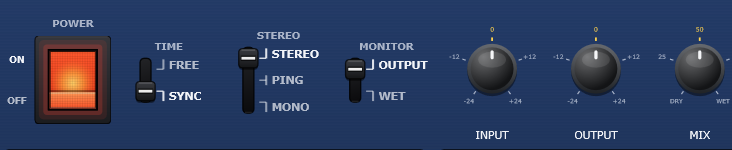
- POWER — Click-free power; crossfades to the untouched input; the ECHO MONITOR goes dark when OFF
- INPUT — Gain before the delay lines and the internal detector
- OUTPUT — Gain after the MIX stage
- MIX — Dry / wet blend (0 = dry only, 100 = echoes only for send / return use)
- MONITOR — OUTPUT (normal) or WET solo (echoes only, whatever MIX is)
- TIME (mode) — FREE = TIME knob in ms; SYNC = DIVISION at the host tempo (TEMPO when the host has none)
- TIME — Free delay time of the left line (right = TIME x (1 + OFFSET))
- DIVISION — Note value in SYNC mode: 1/32, 1/16 T, 1/16, 1/8 T, 1/16 D, 1/8, 1/4 T, 1/8 D, 1/4, 1/2 T, 1/4 D, 1/2 (T = triplet, D = dotted)
- TEMPO — Tempo used in SYNC mode only when the host provides no tempo
- OFFSET — Right-channel delay time relative to the left (stereo spread)
- STEREO — STEREO (independent L / R lines) / PING-PONG (repeats alternate L R L R) / MONO
- FEEDBACK — Level of each repeat relative to the previous one (100 % = infinite repeats, kept bounded by the loop limiter)
- LOW CUT — 2nd-order high-pass applied to every repeat (cumulative)
- HIGH CUT — 2nd-order low-pass applied to every repeat (cumulative, tape-style darkening)
- DRIVE — Tape-style soft saturation of the repeats (unity gain for quiet repeats, loud repeats compress)
- RATE — Delay-time modulation rate (right LFO 90 degrees behind the left)
- DEPTH — Delay-time modulation depth (chorus / tape wow)
- DYN MODE — DUCK (echoes drop while the source is loud) / SWELL (echoes rise while the source is loud)
- DYN TARGET — What the reduction acts on: the echo LEVEL, the FEEDBACK amount, or BOTH
- DYN SOURCE — Detector input: INT (the plugin input) / EXT (the sidechain bus)
- THRESHOLD — Detector level above which the reduction starts
- RANGE — Maximum reduction (2 dB per dB above THRESHOLD until RANGE)
- ATTACK — Detector attack (how fast the echoes duck)
- HOLD — Time the reduction is held after the source drops below the threshold
Quick start
- Insert the plugin on a vocal, guitar, keys or drum track in your VST3 or AAX host.
- Pick a starting point from the PRESET menu – Vocals, Guitars, Drums & Percussion, Keys & Synths, Bass, Ambient & Creative or Swell & Special FX.
- Set the TIME lever to SYNC and choose a DIVISION (1/4, 1/8 D …); the plugin follows the host tempo (TEMPO is used only if the host provides none).
- Play. Watch the ECHO MONITOR: the amber detector trace rises above the dashed THRESHOLD line and the red reduction appears – the echoes duck. Set THRESHOLD so it triggers on your phrases only, and RANGE for how much the echoes step back (12 dB is a good start).
- Balance MIX (50 % = equal dry and wet) and shape the repeats with FEEDBACK, LOW CUT, HIGH CUT and DRIVE.
50 factory presets in 8 categories. Formats: VST3 and AAX plug-ins for Windows (64-bit) and macOS (Apple Silicon + Intel), loaded inside a compatible VST3, AAX or AU host / DAW. Mono and stereo tracks, optional stereo sidechain input; sample rates 44.1 to 192 kHz. Zero latency. Installed, activated and updated with RONA License Manager.