Channel Strip

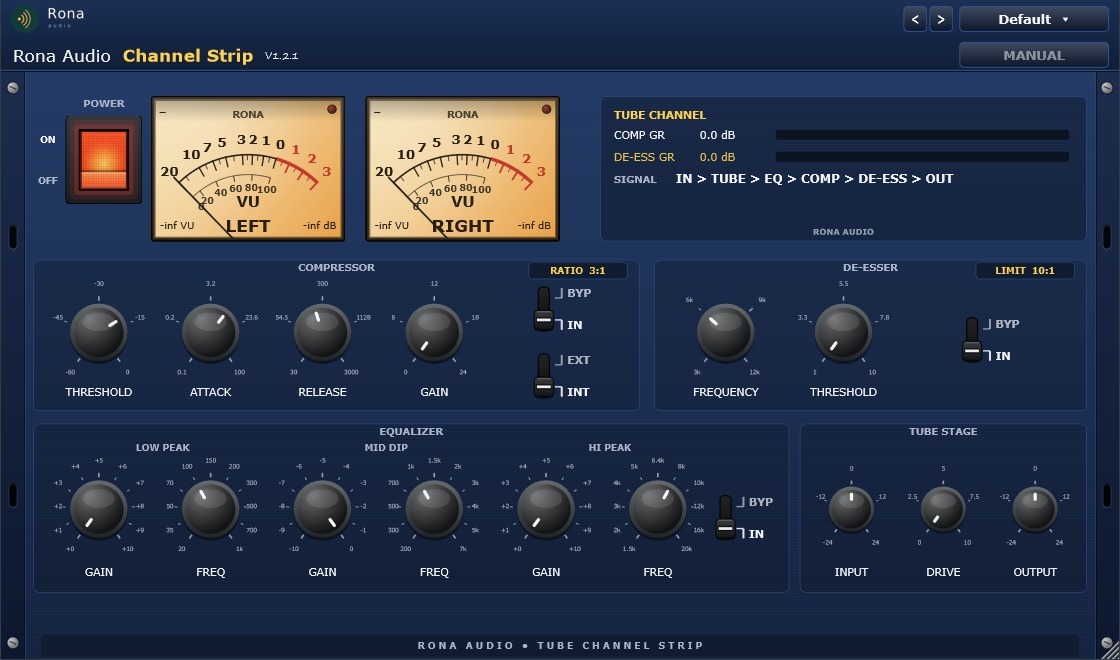
Channel Strip is a Rona Audio tube channel strip supplied as VST3 and AAX plug-ins for Windows and macOS; it is loaded inside a compatible VST3 or AAX host (DAW). It combines four processing blocks in one blue rack-mount unit:

US$180.00

Price in US dollars, inc. GST for Australian customers.

Hear it

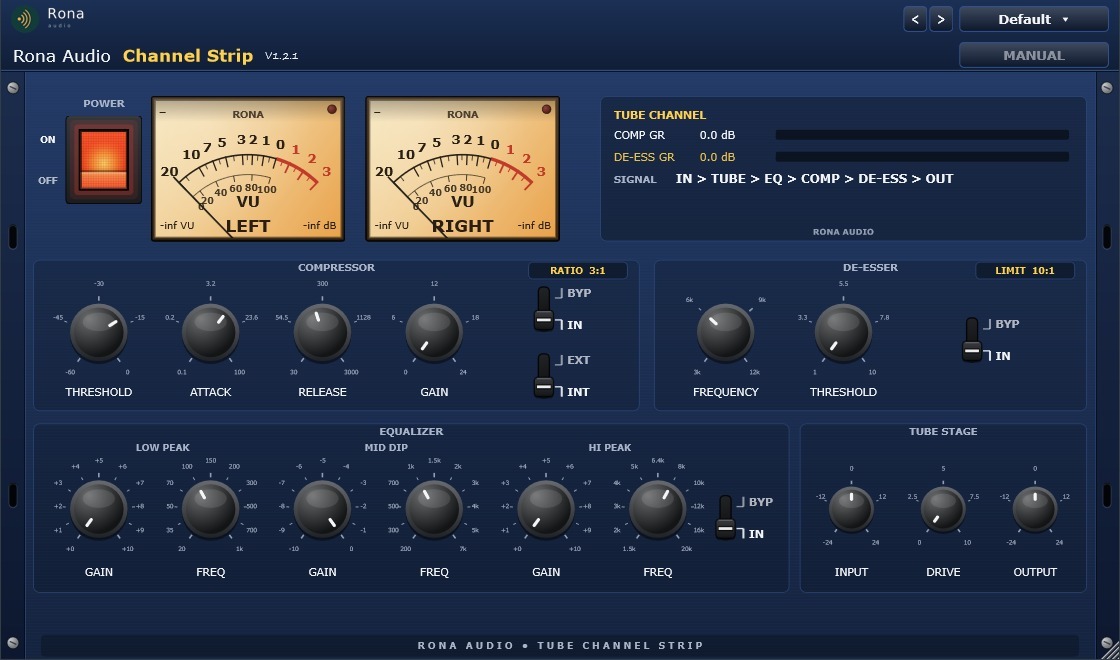
Channel Strip is a Rona Audio tube channel strip supplied as VST3 and AAX plug-ins for Windows and macOS; it is loaded inside a compatible VST3 or AAX host (DAW). It combines four processing blocks in one blue rack-mount unit:

• Tube stage – input gain and a musical tube-style drive for warmth and colour.

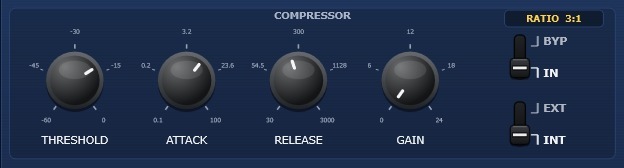
• Compressor – a fixed 3:1 program compressor with threshold, attack, release and make-up gain, switchable to an external sidechain key.

• Equalizer – three hardware-style stepped bands: Low Peak boost, Mid Dip cut and Hi Peak boost, each with 11 fixed frequency positions.

• De-esser – a 10:1 dynamic sibilance limiter at 3, 6, 9 or 12 kHz.

Primary use cases: vocals, mix bus, mastering, guitar and broadcast. The signal flow is IN > TUBE > EQ > COMP > DE-ESS > OUT (see section 11).

I/O formats: mono-to-mono, mono-to-stereo and stereo-to-stereo, plus an optional external sidechain input for the compressor.

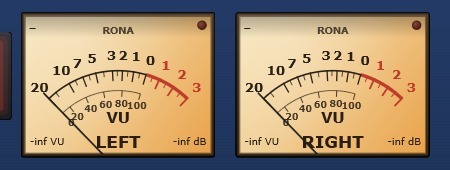
  • Power — Master power. OFF puts the whole processor into a click-free bypass and switches the meter backlight off.
  • Input Gain — Level trim into the tube stage.
  • Tube Drive — Amount of tube-style saturation. 0 is fully clean; higher values add warmth, then audible grit.
  • Comp Bypass — Removes the compressor from the signal path.
  • Comp Threshold — Level above which gain reduction begins.
  • Comp Attack — How fast gain reduction engages.
  • Comp Release — How fast gain reduction recovers.
  • Comp Gain — Make-up gain after compression.
  • Comp SC — Compressor detector source: internal signal or the external sidechain input.
  • EQ Bypass — Removes the equalizer from the signal path.
  • Low Peak Gain — Boost of the low peak band.
  • Low Peak Freq — Centre frequency of the low peak band.
  • Mid Dip Gain — Cut of the mid dip band.
  • Mid Dip Freq — Centre frequency of the mid dip band.
  • Hi Peak Gain — Boost of the high peak band.
  • Hi Peak Freq — Centre frequency of the high peak band.
  • De-Ess Bypass — Removes the de-esser from the signal path.
  • De-Ess Frequency — Centre of the sibilance detection/cut band.
  • De-Ess Threshold — Sensitivity of the de-esser. Project-defined 1-10 scale: 1 is least sensitive, 10 most. Internally maps to a -6 to -42 dBFS band detector threshold.
  • Output Gain — Final level trim after all processing.

Quick start

  1. • 1. Install with the Rona Audio installer (section 4), then open the plugin on a vocal or instrument track in your DAW.
  2. • 2. Install and activate with RONA License Manager: log in with your rona.com.au account, click Add Serial Number, enter the serial from your purchase e-mail and click Install (section 5). After that the plugin works offline.
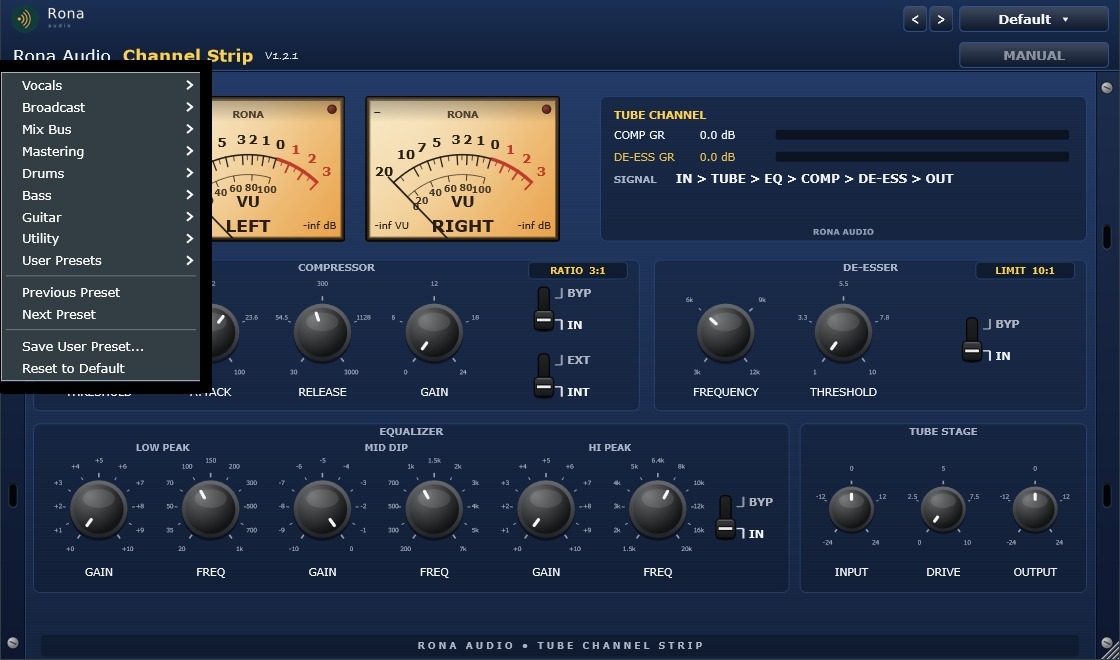
  3. • 3. Click PRESET (top right) and pick a starting point – for a lead vocal try Vocals > Lead Vocal – Smooth & Present.
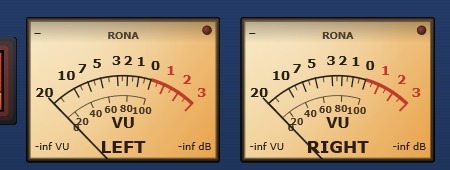
  4. • 4. Set INPUT so the VU meters read around 0 VU on loud passages.
  5. • 5. Shape the tone with the EQUALIZER: boost LOW PEAK for body, dip MID for mud or boxiness, boost HI PEAK for air.
  6. • 6. Set the COMPRESSOR THRESHOLD until COMP GR in the TUBE CHANNEL panel shows 3-6 dB on the loudest lines; raise GAIN to match the bypassed level.

51 factory presets. Installed, activated and updated with RONA License Manager.
System requirements

Windows Windows 10 or 11 (64-bit)
macOS macOS 10.13 or later, Intel + Apple Silicon (Universal 2)
Formats Windows: VST3 · AAX · macOS: VST3 · AAX · AU
Installation RONA License Manager (install, activate, update)

What’s included

Windows: VST3 / AAX · macOS: VST3 / AAX / AU · PDF manual · one license, 3 computers · installed and activated with RONA License Manager · free updates within the major version

Version

Version 1.2.1 10 September 2026

AU (Audio Unit) format added on macOS. Installation, activation and updates now handled by RONA License Manager — no activation button inside the plug-in.

Version history
1.1.0 10 September 2026
AU (Audio Unit) format added on macOS. Installation, activation and updates now handled by RONA License Manager — no activation button inside the plug-in.
1.0.0 31 August 2026
First release: tube channel strip with input gain and tube drive, three-band stepped EQ (Low Peak / Mid Dip / Hi Peak, 11 fixed frequencies per band), fixed 3:1 compressor with internal or external sidechain, 10:1 de-esser at 3/6/9/12 kHz, analogue VU meters with tube-style warm-up backlight, 51 factory presets in 8 categories, user presets, and right-click MIDI Learn on every control. VST3 and AAX for Windows.

Questions

How do I install and activate Channel Strip?

Download RONA License Manager from rona.com.au/license-manager, log in with your rona.com.au account and click Install next to the product. It activates this computer, downloads the right installer for your system and installs every format. There is no serial number to enter and no activation button inside the plug-in.

How many computers can I use it on?

Each serial number can be active on up to 3 computers at the same time. On a Mac the VST3, AU and AAX formats share one activation. You can see your computers and free a slot at any time in RONA License Manager (Activations) or on rona.com.au under My Account → My Products.

Which formats are included?

Windows: VST3 and AAX. macOS: VST3, AU (Audio Unit) and AAX, Universal 2 for Intel and Apple Silicon. RONA License Manager installs all formats of a product together and they share one activation.

Do I need an internet connection?

An internet connection is needed for RONA License Manager to log in, activate, download and update your products. You do not need to be online while you work in your DAW.

• No sound / meters dark?

check the POWER switch is ON (meters glow orange/amber when powered) and the plugin is licensed (no yellow banner at the bottom).

• 'NOT LICENSED ON THIS COMPUTER' shown?

install the product with RONA License Manager (section 5). The plugin passes audio through untouched until then.

• RONA License Manager reports 'Activation limit reached'?

the license is active on the maximum number of computers. Deactivate one on its Activations page or contact [email protected].

• License invalid after hardware change?

a significant hardware change can alter the machine identifier; click Install in RONA License Manager again.

• Compressor seems inactive?

raise the input level or lower THRESHOLD; check the IN/BYP switch and that COMP SC is on INT if nothing feeds the sidechain.

• De-esser too aggressive?

lower THRESHOLD toward 1, or move FREQUENCY away from the programme’s main energy.

Related products