

Rona Vintage Channel Strip

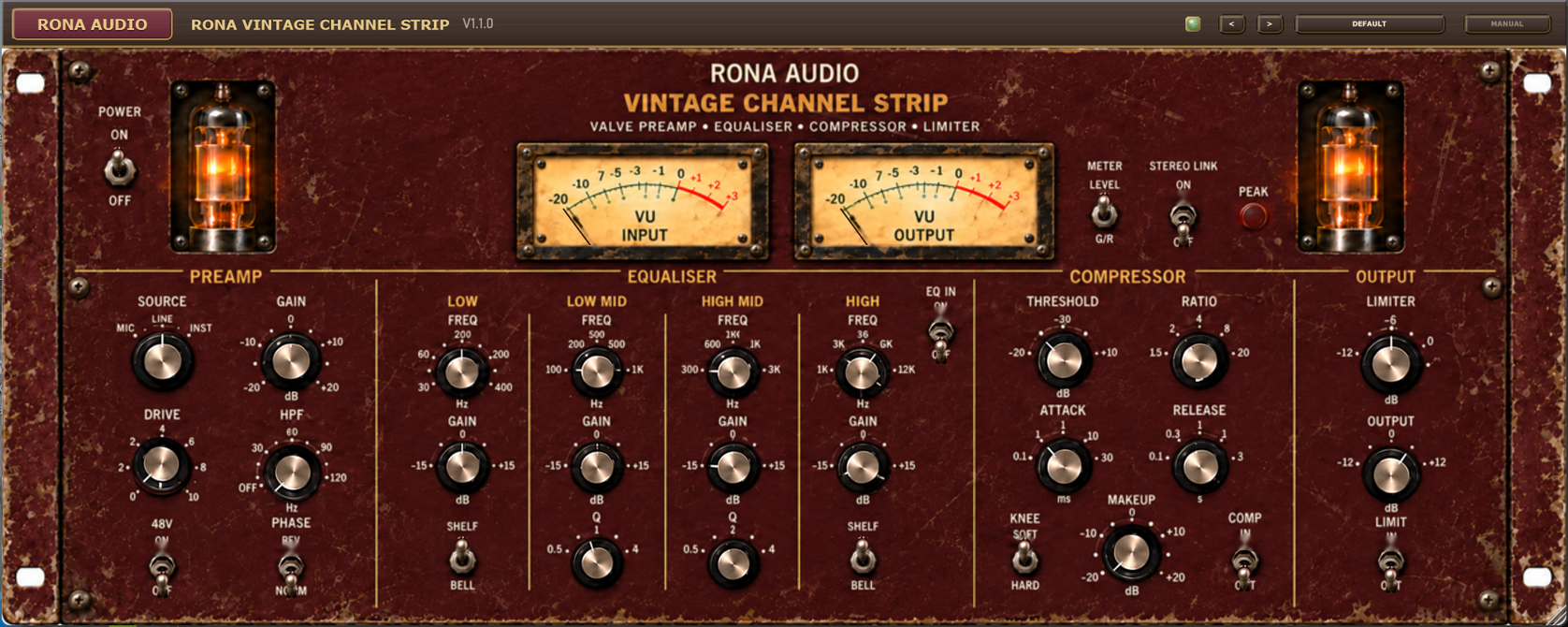
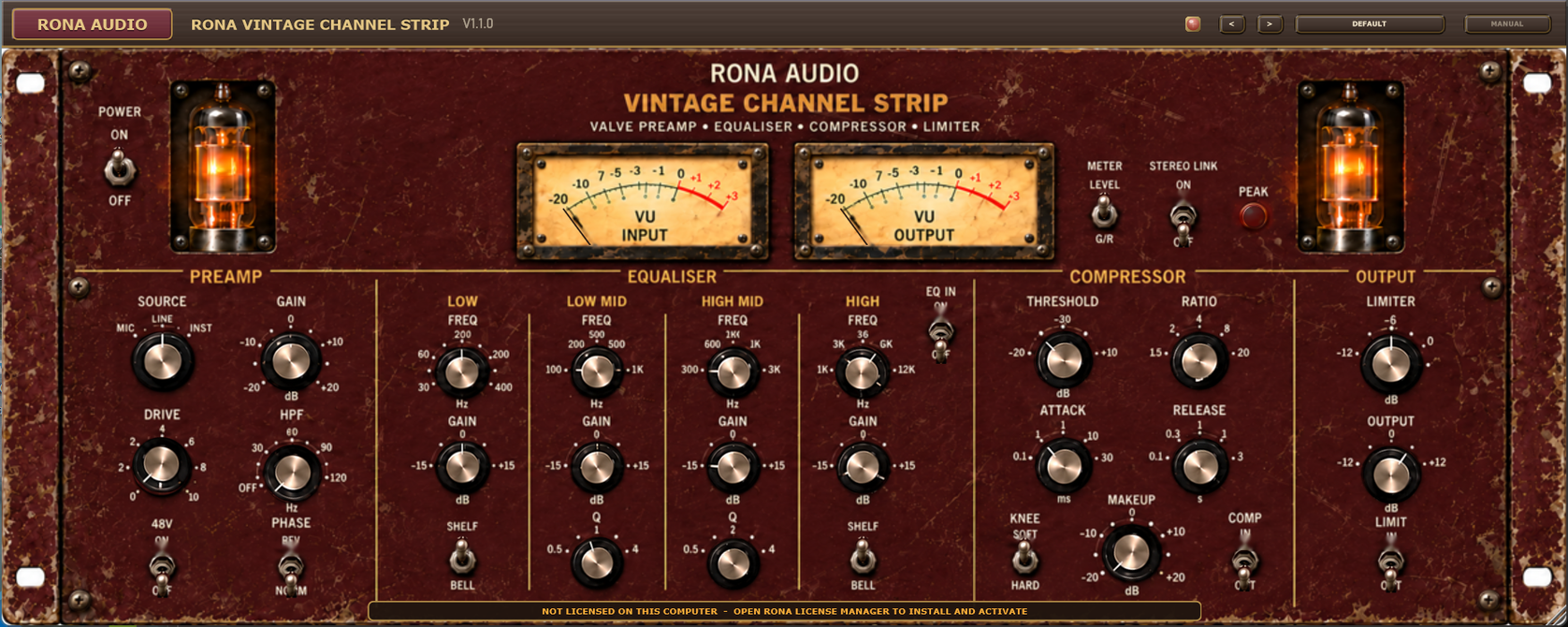
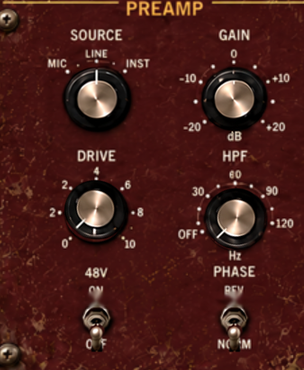
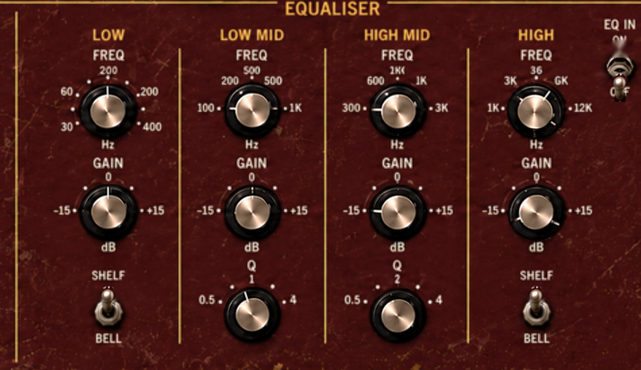
Rona Vintage Channel Strip is a stereo valve channel strip from the Rona Vintage line of Rona Audio. It has a valve preamp with source selection, 48V, gain, drive, a high-pass filter and phase reverse; a four-band equaliser with shelf / bell low and high bands and two fully parametric mid bands; a compressor with threshold, ratio, attack, release, make-up gain and a soft / hard knee; and a fast peak limiter before the output gain.

US$235.00

Price in US dollars, inc. GST for Australian customers.

Hear it

Rona Vintage Channel Strip is a stereo valve channel strip from the Rona Vintage line of Rona Audio. It has a valve preamp with source selection, 48V, gain, drive, a high-pass filter and phase reverse; a four-band equaliser with shelf / bell low and high bands and two fully parametric mid bands; a compressor with threshold, ratio, attack, release, make-up gain and a soft / hard knee; and a fast peak limiter before the output gain. Two analogue-style VU meters show input and output level or the compressor’s and the limiter’s gain reduction.

Use it on a stereo source, on a mono track, or as a glue and colour stage on a bus or the stereo mix. The panel is a 4U rack unit with twin valves; one set of controls drives the left channel and, with STEREO LINK on (the default for a stereo source), the right channel follows it exactly. The window can be resized freely and keeps its proportions.

Rona Vintage Channel Strip – the complete plug-in window.

Quick start

  1. Insert Rona Vintage Channel Strip on the track or bus you want to treat. POWER is on when it loads.
  2. Open the PRESET menu in the header and pick a starting point from the category that matches your source – Male Vocals, Drums, Mix Bus and so on.
  3. Set the level first: turn GAIN until the PEAK lamp just flickers on the loudest passages, add DRIVE for valve colour, and use OUTPUT to match the level you had before (the OUTPUT meter shows it).
  4. Shape the tone with the equaliser (EQ IN up), then switch COMP in and set THRESHOLD so the left meter, with METER on G/R, shows the amount of compression you want.
  5. Double-click any control to return it to its default, and save your own version with Save User Preset… in the preset menu.

70 factory presets in 12 categories. Installed, activated and updated with RONA License Manager.
System requirements

Windows Windows 10 or later (64-bit)
macOS macOS 10.13 or later — Intel & Apple Silicon (Universal 2)
RAM 4 GB
Disk 50 MB
Formats Windows: VST3 · AAX · macOS: VST3 · AAX · AU
Installation RONA License Manager (install, activate, update)

What’s included

Windows: VST3 / AAX · macOS: VST3 / AAX / AU · PDF manual · one license, 3 computers · installed and activated with RONA License Manager · free updates within the major version

Version

Version 1.1.0 18 October 2026

First release on rona.com.au. Installed, activated and updated with RONA License Manager.
Questions

How do I install and activate Rona Vintage Channel Strip?

Download RONA License Manager from rona.com.au/license-manager, log in with your rona.com.au account and click Install next to the product. It activates this computer, downloads the right installer for your system and installs every format. There is no serial number to enter and no activation button inside the plug-in.

How many computers can I use it on?

Each serial number can be active on up to 3 computers at the same time. On a Mac the VST3, AU and AAX formats share one activation. You can see your computers and free a slot at any time in RONA License Manager (Activations) or on rona.com.au under My Account → My Products.

Which formats are included?

Windows: VST3 and AAX. macOS: VST3, AU (Audio Unit) and AAX, Universal 2 for Intel and Apple Silicon. RONA License Manager installs all formats of a product together and they share one activation.

Do I need an internet connection?

An internet connection is needed for RONA License Manager to log in, activate, download and update your products. You do not need to be online while you work in your DAW.

The plug-in does not appear in the DAW?

rescan the plug-in folders, and confirm the host is 64-bit. Pro Tools only loads the AAX version.

The amber licence bar is showing?

if it asks you to connect to the internet, the plug-in is still working; connect and click the bar. Otherwise the product is not licensed on this computer – install the licence with RONA License Manager, or start the free trial from the product page.

The audio passes through unchanged?

POWER is off, both channels are bypassed, or the product is not licensed (see above).

The sound is distorted?

INPUT GAIN is driving the valve stage hard – watch the DRIVE and PEAK lamps, lower INPUT GAIN and raise OUTPUT GAIN.

Moving one channel moves the other?

a STEREO MODE link is engaged.

The MANUAL button does nothing?

the manual was removed after installation. Reinstall Rona Vintage Channel Strip to restore it.