
Dynamic Reverb is a Rona Audio algorithmic stereo reverb (Room, Hall and Plate) whose tail listens to the music. The built-in dynamics detector follows the level of the source – or of any track routed into the sidechain – and either DUCKS the reverb while the source plays so it blooms only in the gaps, SWELLS it so only loud notes get a tail, or shortens the DECAY while the source is loud and lets it ring out in the pauses. The result: lush, long reverbs that never wash over the vocal, the snare or the lead.
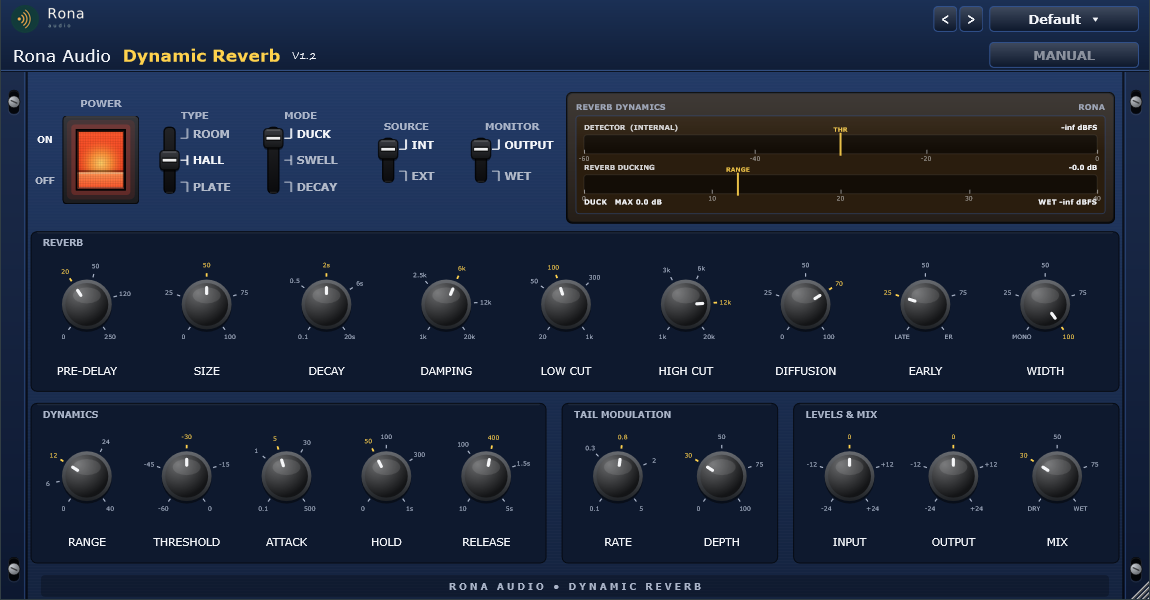
This product intentionally has no VU meters: its single display is the REVERB DYNAMICS module, which shows exactly what the detector hears and how much the reverb is being held back.
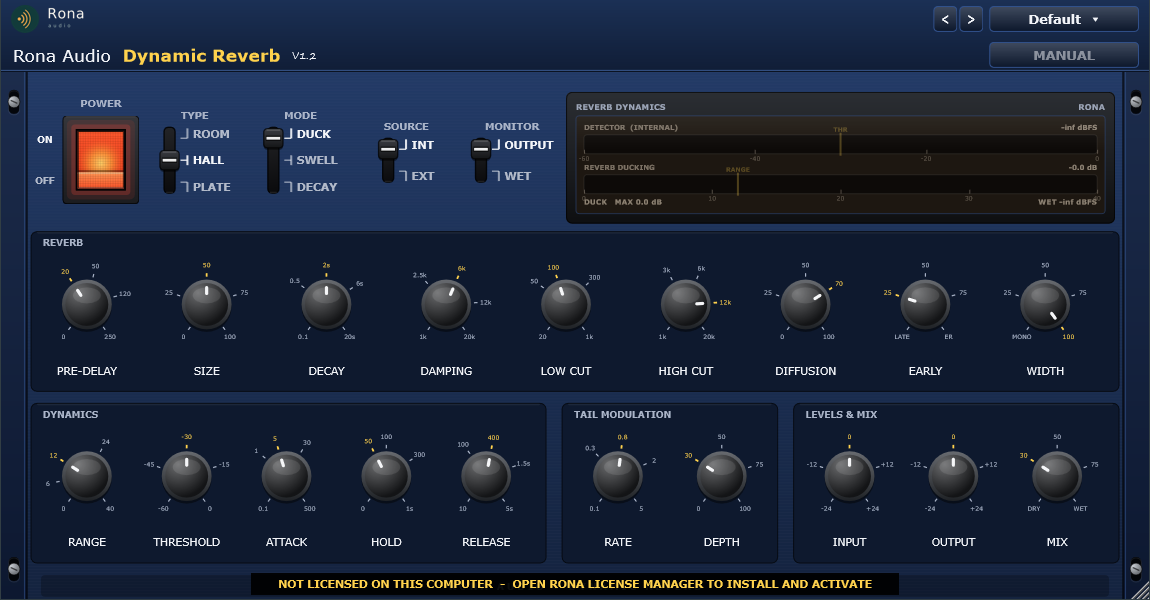
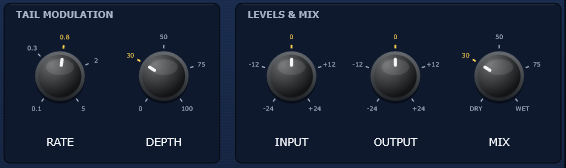
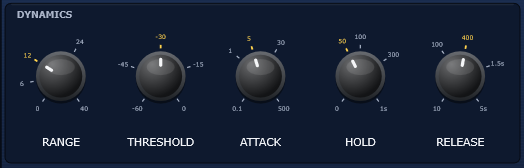
The full plugin. 1: fixed Rona Audio header. 2: POWER rocker. 3: TYPE, MODE, SOURCE and MONITOR levers. 4: REVERB DYNAMICS display. 5: REVERB panel (PRE-DELAY, SIZE, DECAY, DAMPING, LOW CUT, HIGH CUT, DIFFUSION, EARLY, WIDTH). 6: DYNAMICS panel (RANGE, THRESHOLD, ATTACK, HOLD, RELEASE). 7: TAIL MODULATION (RATE, DEPTH). 8: LEVELS & MIX (INPUT, OUTPUT, MIX). 9: rack ears.
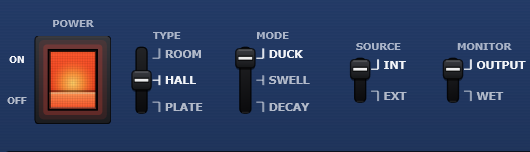
- POWER — Click-free power; crossfades to the untouched input; the display goes dark when OFF
- TYPE — Reverb algorithm character: Room / Hall / Plate (delay-line and reflection tables)
- PRE-DELAY — Gap between the dry sound and the first reflection
- SIZE — Room dimension: scales every delay length x0.5 (0 %) .. x1.5 (100 %)
- DECAY — Reverb time RT60 of the late tail (time to fall by 60 dB)
- DAMPING — High-frequency absorption inside the tail: highs above this decay faster
- LOW CUT — High-pass on the reverb input (keeps lows out of the tail)
- HIGH CUT — Low-pass on the reverb output
- DIFFUSION — Density of the input diffusion (0 % = discrete echoes, 100 % = dense wash)
- EARLY — Balance between early reflections and the late tail (0 = late only, 100 = early only)
- WIDTH — Stereo width of the reverb (0 % = mono, 100 % = full)
- MODE — Dynamics behaviour: Duck / Swell / Decay
- RANGE — Maximum reverb attenuation (Duck / Swell) or decay shortening (Decay)
- THRESHOLD — Detector level above which the dynamics act (6 dB soft knee)
- ATTACK — How fast the detector follows a rising level
- HOLD — Time the detector holds its peak before releasing
- RELEASE — How fast the detector lets go after the level drops
- SOURCE — Detector input: INT (plugin input) or EXT (external sidechain bus; falls back to INT when none is connected)
- RATE — Tail modulation rate (chorus-like movement that removes metallic ringing)
- DEPTH — Tail modulation depth (100 % = +/- 0.6 ms)
- INPUT — Gain before the reverb and the internal detector
- OUTPUT — Gain after the mix
- MIX — Equal-power dry / wet blend (0 = dry, 100 = reverb only for sends)
- MONITOR — Output, or WET solo (reverb only, whatever MIX says)
Quick start
- Insert the plugin on a vocal, guitar or drum track in your VST3 or AAX host (or on a send and set MIX to 100 %).
- Pick a starting point from the PRESET menu – Vocals, Drums, Guitars & Keys, Synths & Pads, Ambient & FX, Mix Bus & Sends or Post & Dialogue.
- Play. Watch the REVERB DYNAMICS display: the DETECTOR bar rises with the source and, whenever it passes the yellow THR marker, the red bar shows how much the reverb is being ducked. Set THRESHOLD so the bar crosses it on phrases but not on breaths and noise.
- Set RANGE for how far the reverb should step back (10-16 dB is a natural vocal setting), RELEASE for how quickly it swells back in the gaps.
- Switch MONITOR to WET to hear the reverb on its own while you shape DECAY, DAMPING and the cuts; switch back to OUTPUT and set MIX.
- Reverb on a send that should duck from another track: set SOURCE to EXT and route that track into the plugin’s sidechain input in your DAW.
54 factory presets in 8 categories. Formats: VST3 and AAX plug-ins for Windows (64-bit) and macOS (Apple Silicon + Intel), loaded inside a compatible VST3, AAX or AU host / DAW. Mono and stereo tracks, optional mono or stereo sidechain input; sample rates 44.1 to 192 kHz. Zero latency – the dry signal is never delayed, so the plugin can sit on any track or send without any compensation. Installed, activated and updated with RONA License Manager.