
LUFS Meter

LUFS Meter is a Rona Audio loudness and peak meter built to ITU-R BS.1770-4 and EBU R128: Momentary, Short-term and Integrated loudness, Loudness Range (EBU Tech 3342), 4x-oversampled True Peak with an adjustable ceiling and overs counter, a digital LED peak meter with CLIP indicators, and the family’s dual analogue VU meters with tube-style backlight. Audio passes through unchanged (apart from the INPUT trim). Zero latency. VST3, AAX, AU for Windows and macOS — installed and activated with RONA License Manager.

US$180.00

Price in US dollars, inc. GST for Australian customers.

Hear it

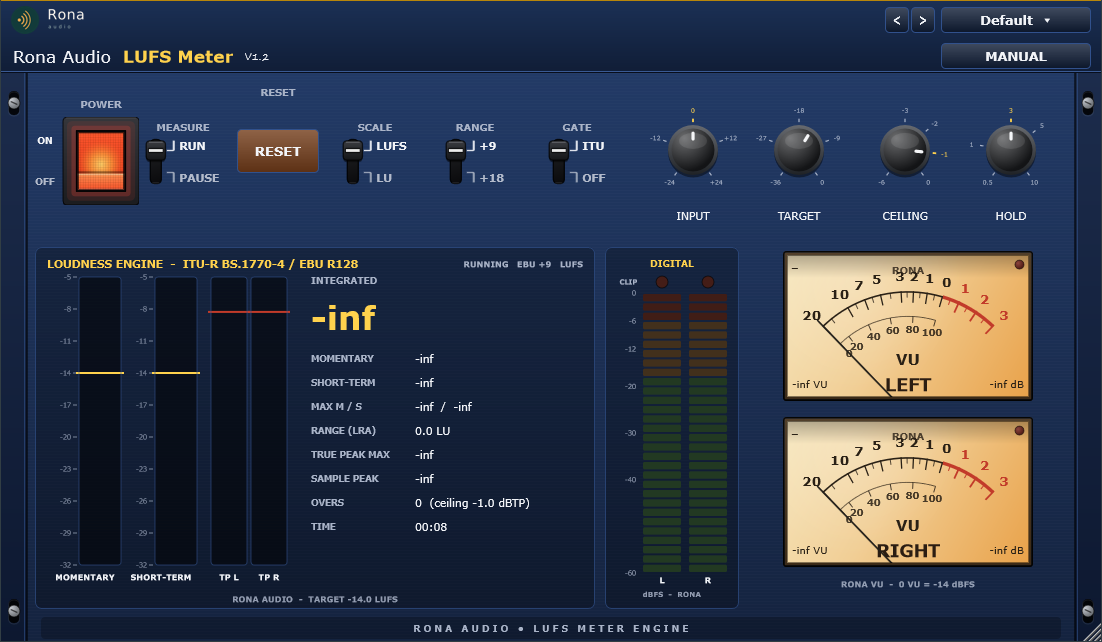
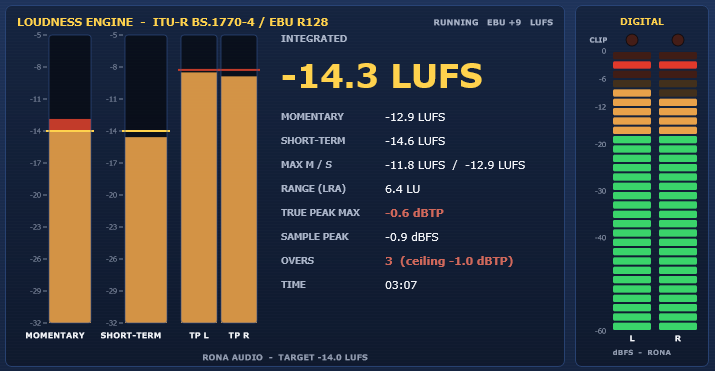
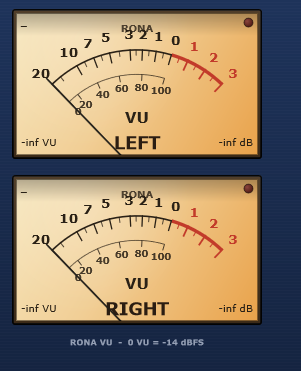
LUFS Meter is a Rona Audio loudness and peak meter built to ITU-R BS.1770-4 and EBU R128: Momentary, Short-term and Integrated loudness, Loudness Range (EBU Tech 3342), 4x-oversampled True Peak with an adjustable ceiling and overs counter, a digital LED peak meter with CLIP indicators, and the family’s dual analogue VU meters with tube-style backlight. Audio passes through unchanged (apart from the INPUT trim). Zero latency.

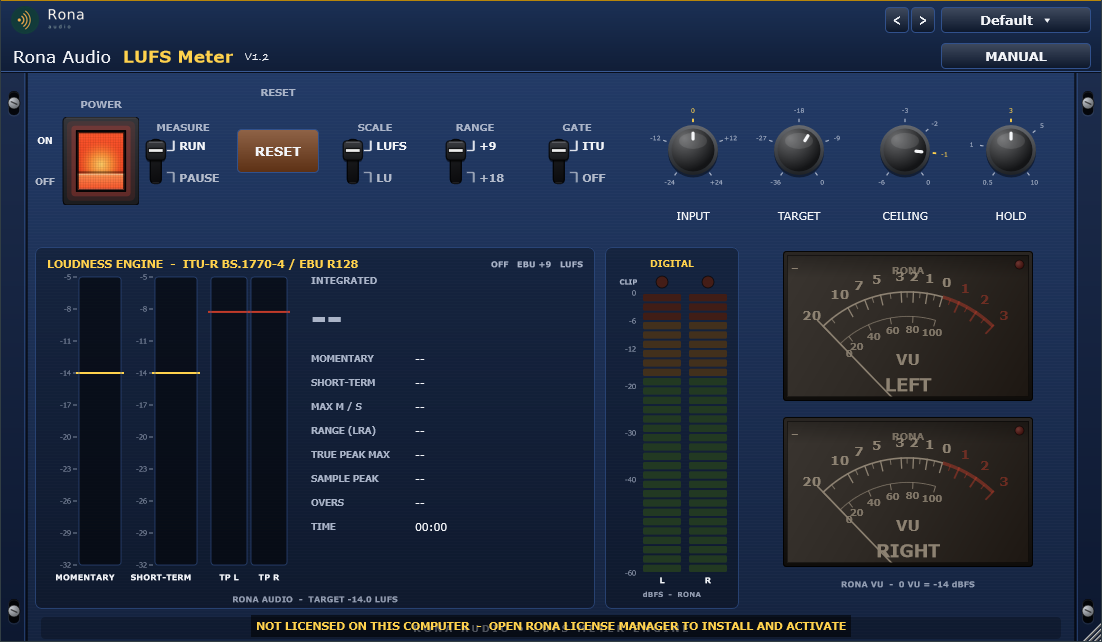
The full plugin. 1: fixed Rona Audio header. 2: POWER rocker. 3: MEASURE lever (RUN / PAUSE). 4: RESET button. 5: SCALE, RANGE and GATE levers. 6: INPUT, TARGET, CEILING, HOLD knobs. 7: LOUDNESS ENGINE – Momentary and Short-term bargraphs, true-peak bars, readouts. 8: DIGITAL LED peak meter with CLIP LEDs. 9: dual VU meters. 10: rack ears.

  • POWER — Click-free power; meters and displays go dark when OFF
  • MEASURE (RUN / PAUSE) — Runs or pauses the measurement (readings are held while paused)
  • RESET — Momentary trigger: clears integrated loudness, range, maxima, peaks, overs, clips and the timer
  • INPUT — Gain applied to the audio path and to the measurement
  • TARGET — Reference loudness: 0 LU marker on the bars, relative-scale origin
  • SCALE — Readouts and bar labels in absolute LUFS or relative LU (to TARGET)
  • RANGE — Bargraph range: EBU +9 (-18..+9 LU) or EBU +18 (-36..+18 LU)
  • GATE — Integrated loudness gating: ITU-R BS.1770 two-stage gate or ungated average
  • CEILING — True-peak ceiling for the OVERS counter and the red TP marker
  • HOLD — Hold time for the true-peak bars, the digital peak-hold LEDs and the CLIP LEDs

Quick start

  1. Insert the plugin last on the master bus of your DAW (VST3, AAX or AU host).
  2. Pick the delivery standard from the PRESET menu – Streaming (Spotify, Apple Music, YouTube…), Broadcast (EBU R128, ATSC A/85…), Podcast & Voice, Film & Games, Club & DJ or a Mastering Reference. The preset sets TARGET, CEILING, scale, range and gate.
  3. Press RESET, play the whole program from the start and read INTEGRATED at the end. Keep TRUE PEAK MAX below the ceiling (OVERS stays 0) and watch the CLIP LEDs.
  4. Use SCALE = LU to read everything relative to the target: 0.0 LU means you are exactly on target.

49 factory presets in 7 categories. Formats: VST3 and AAX plug-ins for Windows (64-bit) and macOS (Apple Silicon + Intel), used inside a compatible VST3, AAX or AU host / DAW. Mono and stereo tracks; sample rates 44.1 to 192 kHz (the K-weighting filters are re-derived for every rate). Installed, activated and updated with RONA License Manager.
System requirements

Windows Windows 10 or later (64-bit)
macOS macOS 10.13 or later — Intel & Apple Silicon (Universal 2)
CPU Windows: 64-bit Windows 10 or later; macOS: macOS 10.13 or later, Apple Silicon and Intel (Universal 2)
Formats Windows: VST3 · AAX · macOS: VST3 · AAX · AU
Installation RONA License Manager (install, activate, update)
DAWs verified Any VST3 / AU-capable DAW · Pro Tools (AAX) · Logic Pro (AU)

What’s included

Windows: VST3 / AAX · macOS: VST3 / AAX / AU · PDF manual · one license, 3 computers · installed and activated with RONA License Manager · free updates within the major version

Version

Version 1.2.1 10 September 2026

AU (Audio Unit) format added on macOS. Installation, activation and updates now handled by RONA License Manager — no activation button inside the plug-in.

Version history
1.1.0 10 September 2026
AU (Audio Unit) format added on macOS. Installation, activation and updates now handled by RONA License Manager — no activation button inside the plug-in.
1.0.0 3 September 2026
First release: BS.1770-4 / R128 loudness, LRA, 4× true peak, digital LED meter with clip LEDs, and 49 target presets in 7 categories.

Questions

How do I install and activate LUFS Meter?

Download RONA License Manager from rona.com.au/license-manager, log in with your rona.com.au account and click Install next to the product. It activates this computer, downloads the right installer for your system and installs every format. There is no serial number to enter and no activation button inside the plug-in.

How many computers can I use it on?

Each serial number can be active on up to 3 computers at the same time. On a Mac the VST3, AU and AAX formats share one activation. You can see your computers and free a slot at any time in RONA License Manager (Activations) or on rona.com.au under My Account → My Products.

Which formats are included?

Windows: VST3 and AAX. macOS: VST3, AU (Audio Unit) and AAX, Universal 2 for Intel and Apple Silicon. RONA License Manager installs all formats of a product together and they share one activation.

Do I need an internet connection?

An internet connection is needed for RONA License Manager to log in, activate, download and update your products. You do not need to be online while you work in your DAW.

Readouts show -inf?

no signal, MEASURE is on PAUSE, or POWER is OFF / unlicensed.

Integrated seems too high after a quiet passage?

that is the ITU gate at work (quiet blocks are excluded); switch GATE to OFF for a plain average.

Overs but no clips?

the true peak between samples exceeds the ceiling while no sample reaches 0 dBFS – lower the limiter ceiling or leave more headroom.

Values differ from another meter by a few tenths?

check both use BS.1770-4 gating, the same true-peak oversampling (4x) and that INPUT is at 0 dB.

Related products