Mid Side Master

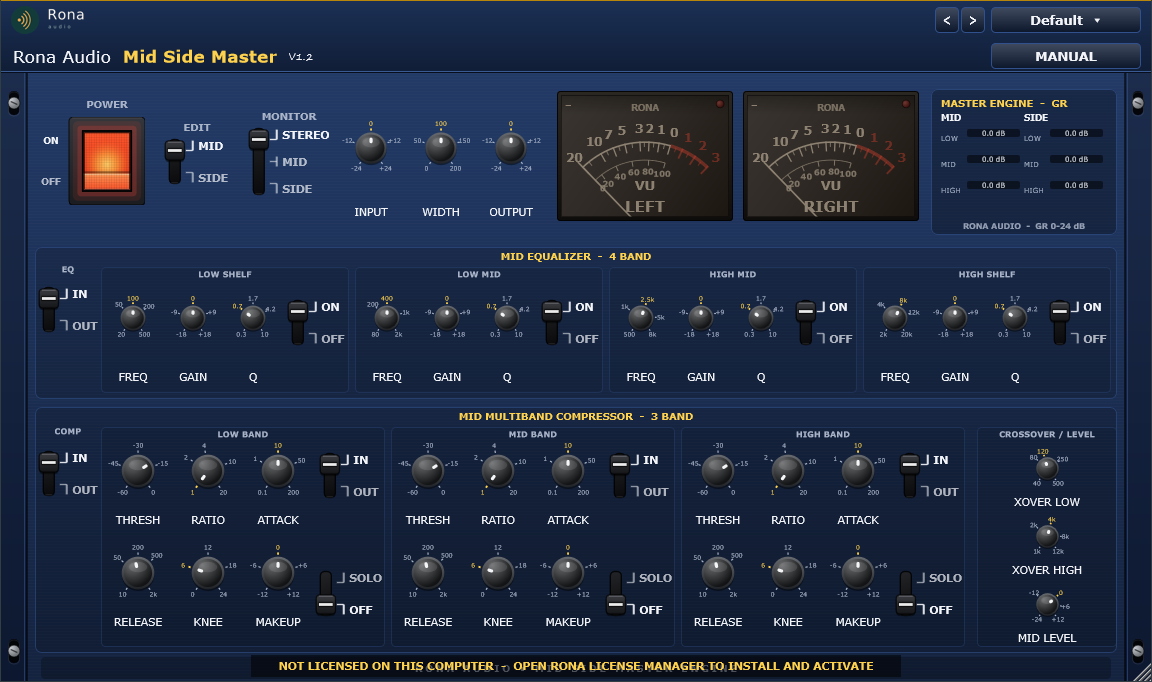
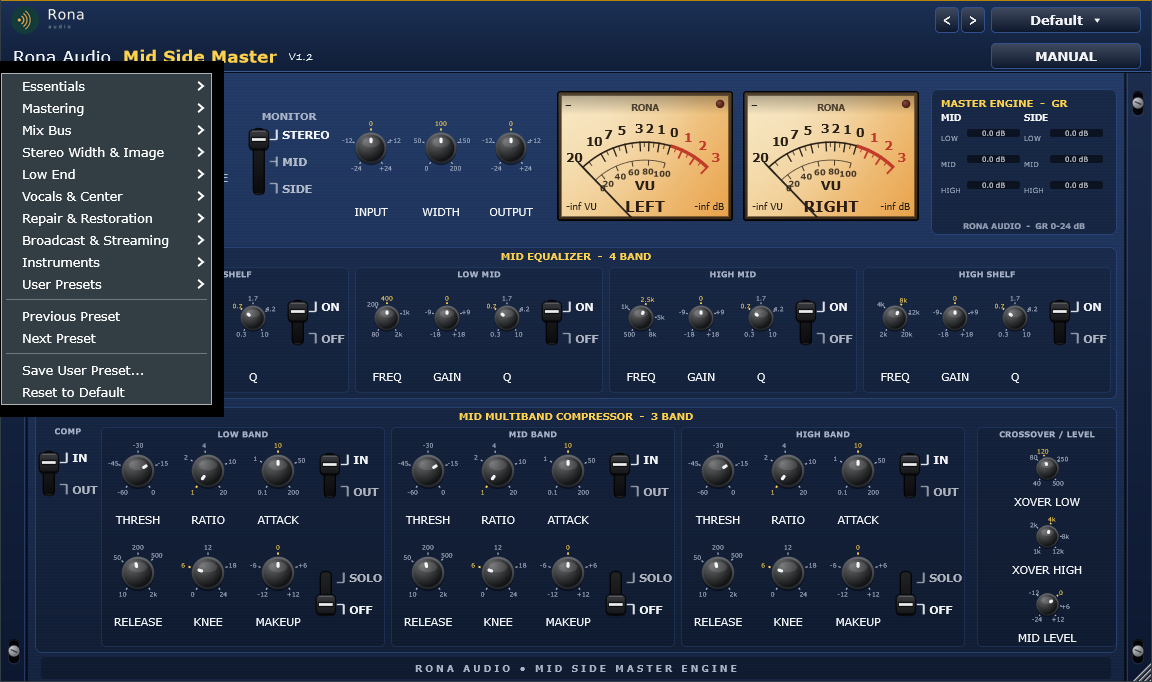
Mid Side Master is a Rona Audio mastering processor that splits a stereo signal into its MID (centre, L+R) and SIDE (stereo difference, L-R) components and gives each of them its own 4-band equalizer and 3-band multiband compressor, followed by stereo width control, monitor modes and the M/S decoder. It lives in the Rona Audio blue rack-mount interface with mandatory left and right rack ears and dual analogue VU meters with warm orange/amber tube-style backlighting. VST3, AAX, AU for Windows and macOS — installed and activated with RONA License Manager.

US$180.00

Price in US dollars, inc. GST for Australian customers.

Hear it

Mid Side Master is a Rona Audio mastering processor that splits a stereo signal into its MID (centre, L+R) and SIDE (stereo difference, L-R) components and gives each of them its own 4-band equalizer and 3-band multiband compressor, followed by stereo width control, monitor modes and the M/S decoder. It lives in the Rona Audio blue rack-mount interface with mandatory left and right rack ears and dual analogue VU meters with warm orange/amber tube-style backlighting.

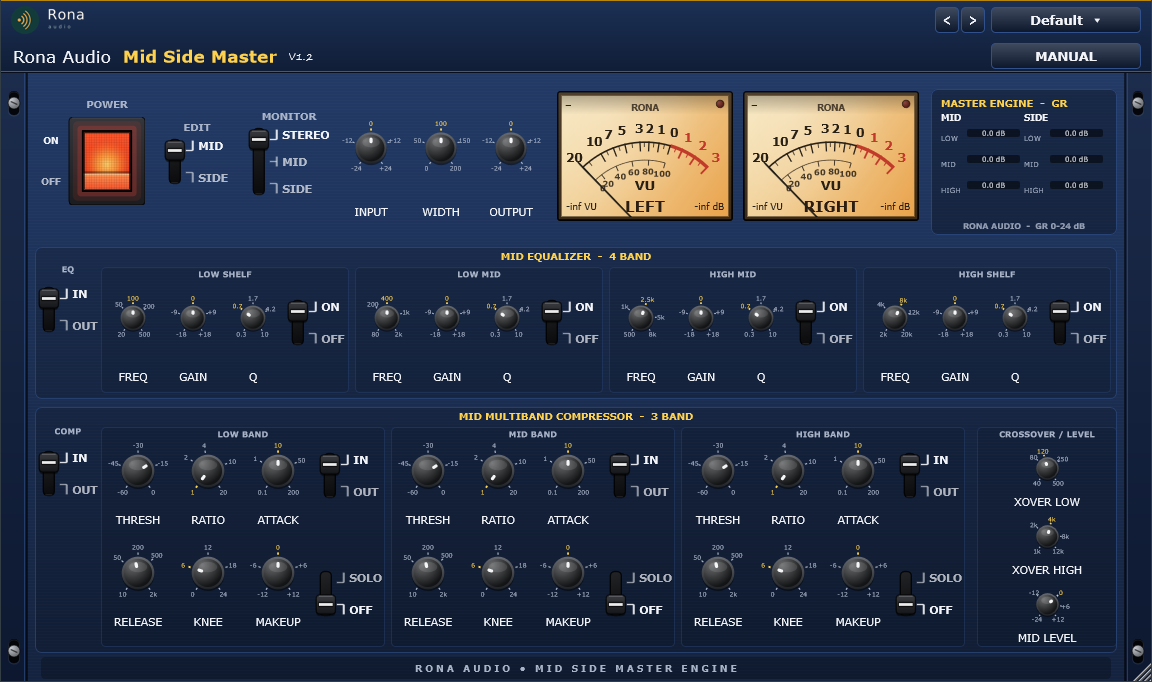
The full plugin (MID panels shown). 1: fixed Rona Audio header. 2: POWER switch (illuminated red rocker, ON / OFF to its left). 3: EDIT lever – which channel (MID or SIDE) the EQ and compressor panels show; both channels always process. 4: MONITOR lever (STEREO / MID / SIDE). 5: INPUT, WIDTH, OUTPUT knobs. 6: dual VU meters (amber = powered ON). 7: MASTER ENGINE gain-reduction panel. 8: 4-band EQUALIZER row. 9: 3-band MULTIBAND COMPRESSOR row with the CROSSOVER / LEVEL group. 10: rack ears with mounting slots.

  • POWER — Click-free power (meters fade with it)
  • INPUT — Input gain before the M/S encoder
  • OUTPUT — Output gain after the M/S decoder
  • WIDTH — Side level before decoding (100 % = unchanged, > 100 % widens)
  • MONITOR — STEREO / MID / SIDE listening modes
  • MID / SIDE LEVEL — Channel level after the compressor
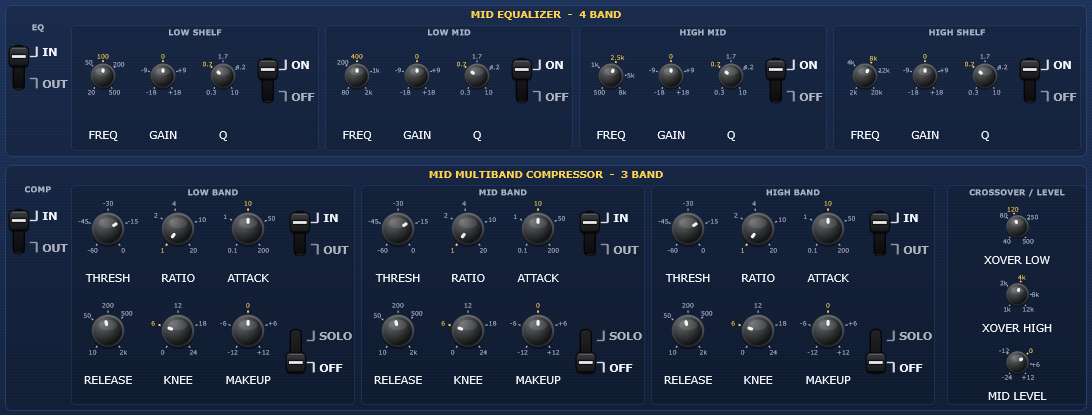
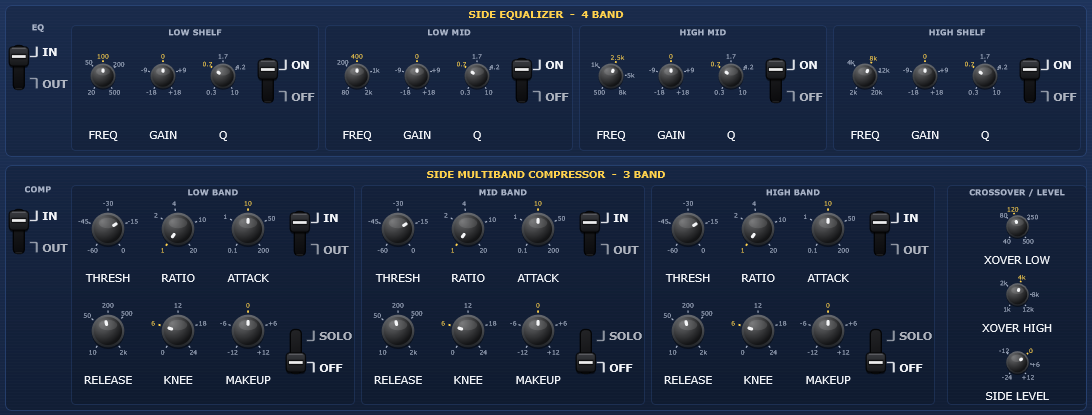
  • EQ IN — Whole 4-band EQ of the channel in/out (gain fade)
  • EQ band ON — Single EQ band on/off (gain fade)
  • EQ 1 LOW SHELF FREQ — Low shelf corner
  • EQ 2 LOW MID FREQ — Low-mid peak centre
  • EQ 3 HIGH MID FREQ — High-mid peak centre
  • EQ 4 HIGH SHELF FREQ — High shelf corner
  • EQ GAIN (each band) — Boost / cut
  • EQ Q (each band) — Bandwidth (peaks) / slope (shelves)
  • COMP IN — Whole 3-band compressor of the channel in/out (GR fade)
  • XOVER LOW — Low / mid band split (LR4)
  • XOVER HIGH — Mid / high band split (LR4, kept >= 1 octave above XOVER LOW)
  • Band IN (each band) — Band compressor in/out (GR + makeup fade)
  • Band SOLO (each band) — Hear only the soloed band(s) of the channel
  • THRESH (each band) — Compression threshold
  • RATIO (each band) — Compression ratio
  • ATTACK (each band) — Gain-reduction onset
  • RELEASE (each band) — Gain-reduction recovery
  • KNEE (each band) — Soft-knee width around the threshold

Quick start

  1. Insert the plugin on the mix bus or master (stereo track) in your VST3 or AAX host.
  2. Pick a starting point from the PRESET menu – ‘Gentle Glue’ or ‘Transparent Master’ for most material, or a category that matches the job (Stereo Width & Image, Low End, Repair & Restoration…).
  3. Use the EDIT lever to switch the panels between MID and SIDE. Shape the centre (vocals, kick, bass, snare) on MID; shape the stereo information (reverbs, doubles, wide guitars, cymbals) on SIDE.
  4. Use the MONITOR lever to listen to MID only or SIDE only while you adjust, then return to STEREO. Watch the MASTER ENGINE panel for the gain reduction of each band.
  5. Set WIDTH last: below 100 % narrows, above 100 % widens. Check mono compatibility with the ‘Mono Compatibility Check’ preset (WIDTH 0 %).

53 factory presets in 9 categories. Formats: VST3 and AAX plug-ins for Windows (64-bit) and macOS (Apple Silicon + Intel), loaded inside a compatible VST3, AAX or AU host / DAW. Stereo tracks only (M/S processing needs both channels); sample rates from 44.1 kHz to 192 kHz at any host buffer size; zero latency. Installed, activated and updated with RONA License Manager.
System requirements

Windows Windows 10 or later (64-bit)
macOS macOS 10.13 or later — Intel & Apple Silicon (Universal 2)
CPU Windows: 64-bit Windows 10 or later; macOS: macOS 10.13 or later, Apple Silicon and Intel (Universal 2)
Formats Windows: VST3 · AAX · macOS: VST3 · AAX · AU
Installation RONA License Manager (install, activate, update)
DAWs verified Any VST3 / AU-capable DAW · Pro Tools (AAX) · Logic Pro (AU)

What’s included

Windows: VST3 / AAX · macOS: VST3 / AAX / AU · PDF manual · one license, 3 computers · installed and activated with RONA License Manager · free updates within the major version

Version

Version 1.2.1 10 September 2026

AU (Audio Unit) format added on macOS. Installation, activation and updates now handled by RONA License Manager — no activation button inside the plug-in.

Version history
1.1.0 10 September 2026
AU (Audio Unit) format added on macOS. Installation, activation and updates now handled by RONA License Manager — no activation button inside the plug-in.
1.0.0 3 September 2026
First release: MID / SIDE 4-band EQ and 3-band multiband compressor, stereo width, monitor modes and 53 presets in 9 categories.

Questions

How do I install and activate Mid Side Master?

Download RONA License Manager from rona.com.au/license-manager, log in with your rona.com.au account and click Install next to the product. It activates this computer, downloads the right installer for your system and installs every format. There is no serial number to enter and no activation button inside the plug-in.

How many computers can I use it on?

Each serial number can be active on up to 3 computers at the same time. On a Mac the VST3, AU and AAX formats share one activation. You can see your computers and free a slot at any time in RONA License Manager (Activations) or on rona.com.au under My Account → My Products.

Which formats are included?

Windows: VST3 and AAX. macOS: VST3, AU (Audio Unit) and AAX, Universal 2 for Intel and Apple Silicon. RONA License Manager installs all formats of a product together and they share one activation.

Do I need an internet connection?

An internet connection is needed for RONA License Manager to log in, activate, download and update your products. You do not need to be online while you work in your DAW.

Mix collapses or loses depth?

WIDTH too low, or SIDE LEVEL too low; check the SIDE band solos are off.

Phasey or unstable image?

too much SIDE compression with fast attack – lengthen ATTACK / RELEASE or lower the RATIO on SIDE; keep low frequencies on MID (cut the SIDE low shelf).

Pumping?

raise the THRESHOLD or lower the RATIO of the band shown pumping in the MASTER ENGINE panel; lengthen RELEASE.

No effect?

check POWER is ON, the plugin is licensed, EQ IN / COMP IN are IN and the band RATIOs are above 1:1.

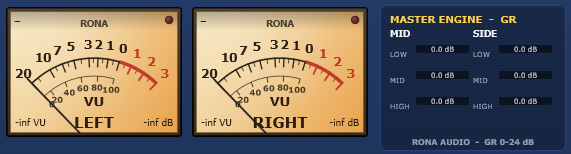
Meters stay dark?

the plugin is powered OFF (or unlicensed).

Plugin not showing in the DAW?

rescan plugins; the plugin needs a stereo track (mono tracks are not supported).

Related products